Dell PowerEdge R770AP 评测:高速 Xeon 6 服务器
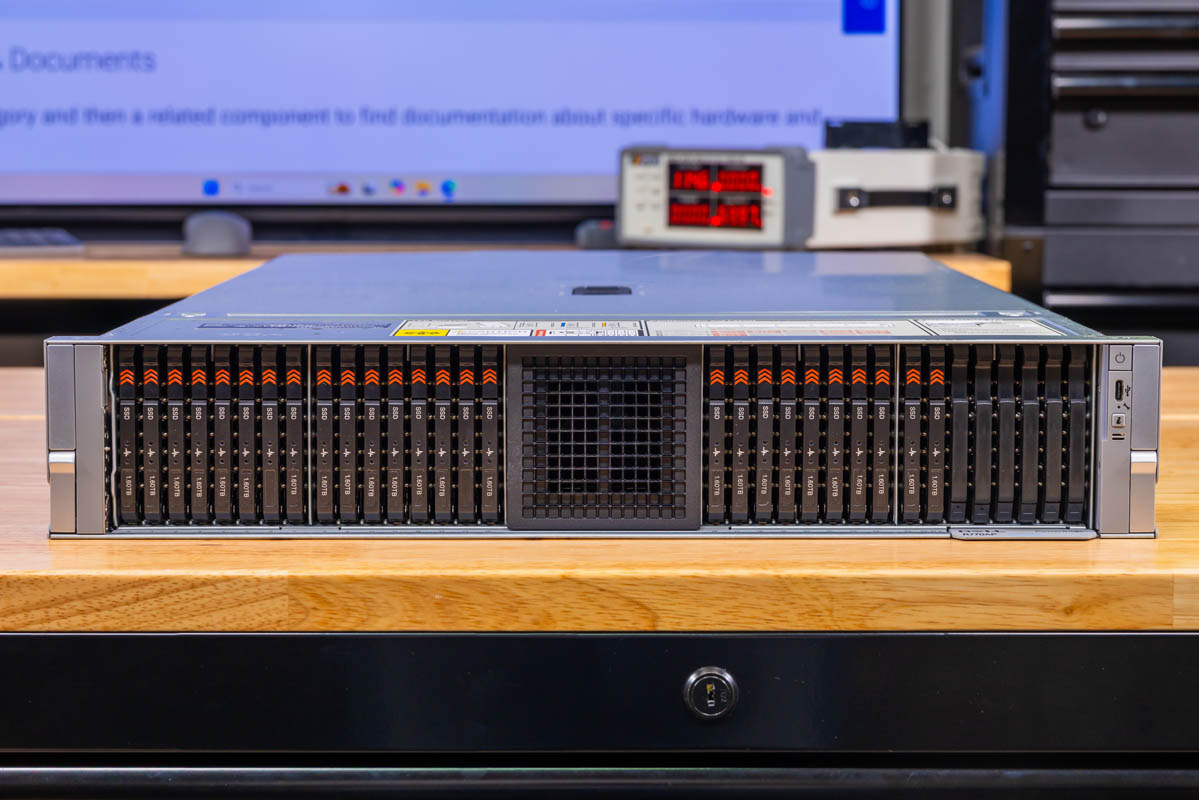
Dell PowerEdge R770AP 是一款 2U 风冷、双路服务器,以高核心密度著称。它最多支持两颗 Intel Xeon 6980P 处理器,每颗 128 核,总计可安装 256 核。考虑到当前 Diamond Rapids 的时间表,该平台在一段时间内都将成为 Intel 的主力平台。我们原本希望用 Intel 的 Xeon 6+ Clearwater Forest 来做测试,但 Intel 无法提供芯片。后缀 -AP 代表“Advanced Performance”,至少对 Intel 生态而言是如此。Dell 打造了一台非常出色的 Intel Xeon 服务器,围绕灵活的 I/O 和存储设计。我们希望用更新的 AgentSTH V7 基准测试来发布这篇评测,那就开始吧。
Dell PowerEdge R770AP 外部硬件概览
从外部看,R770AP 是一款标准的 2U 机架式机箱,根据 Dell 当前的技术规格,不含面板时后部 I/O 深度为 801mm。系统正面以存储为主,但并非以往几代产品那种你预期的方式。
Dell PowerEdge R770AP 前面板,显示中央通风区两侧各有一个 E3.S 硬盘仓
在深入之前请注意,我们拿到的是其中一种配置,而 Dell 在存储和扩展方面提供了许多选项。因此请把这更多当作一个示例配置来看,你可以在 Dell 的配置器中花大量时间来定制这些选项。
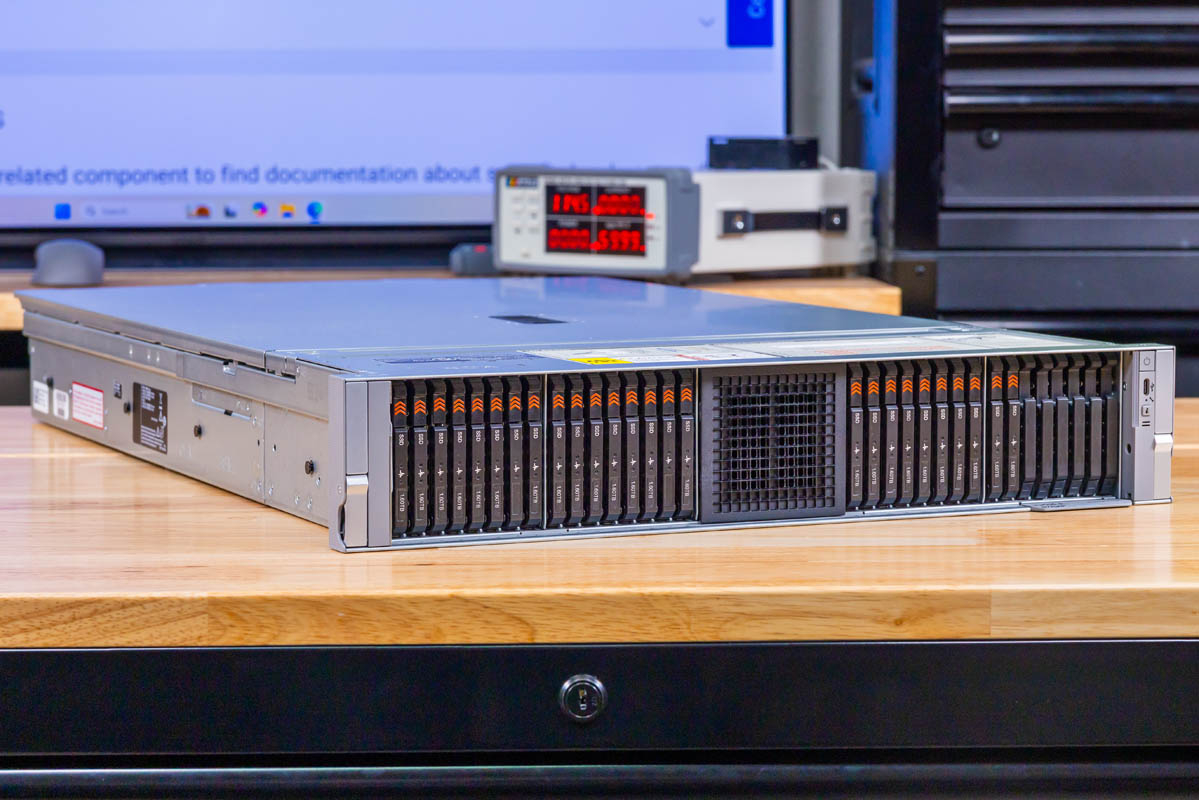
Dell PowerEdge R770AP 正面的斜视图,在整个机箱的语境中展示 E3.S 硬盘仓与中央进风口
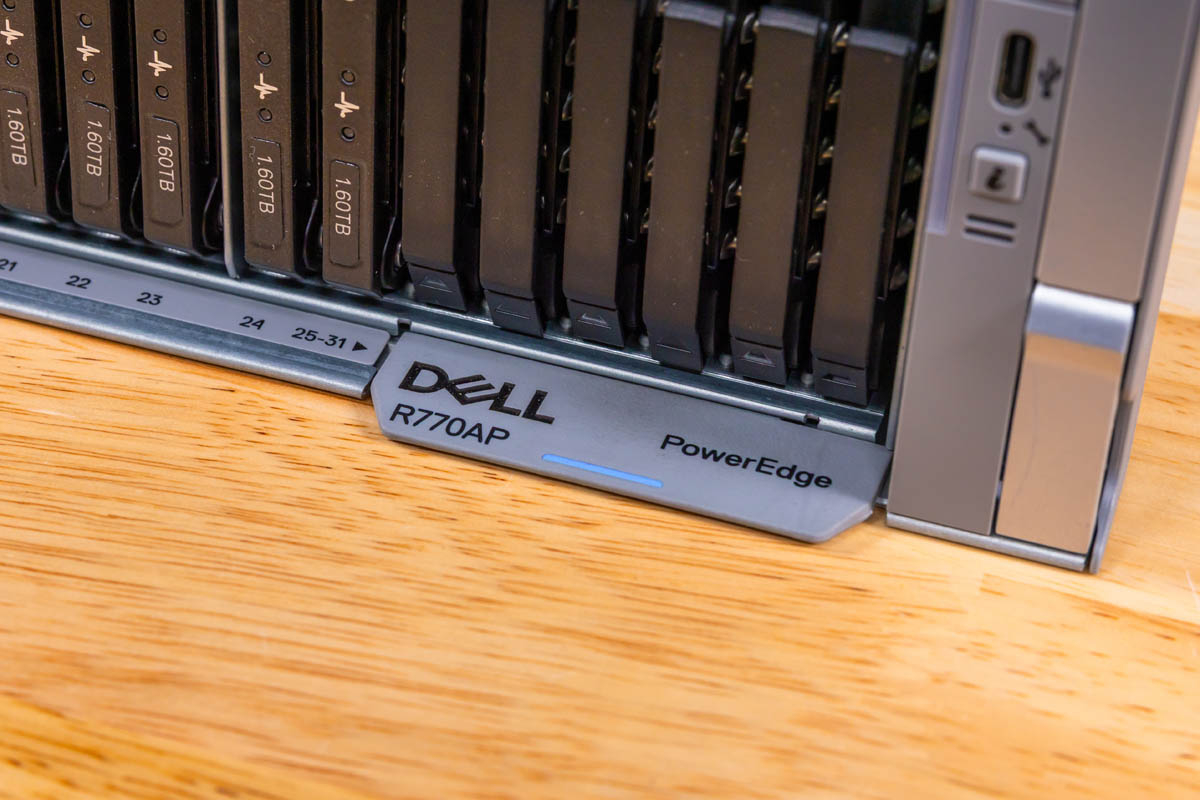
在前下方边缘,我们可以看到 Dell R770AP 的型号标识和服务标签。你可能会惊讶于市面上有多少服务器型号实际上并没有把型号印在正面、让人从前面就能看到。一个小小的影响是,硬盘位标注为 25-31 并带有一个箭头,因为服务标签占据了原本应印制硬盘编号的区域。
Dell PowerEdge R770AP 前下方边缘型号标识特写
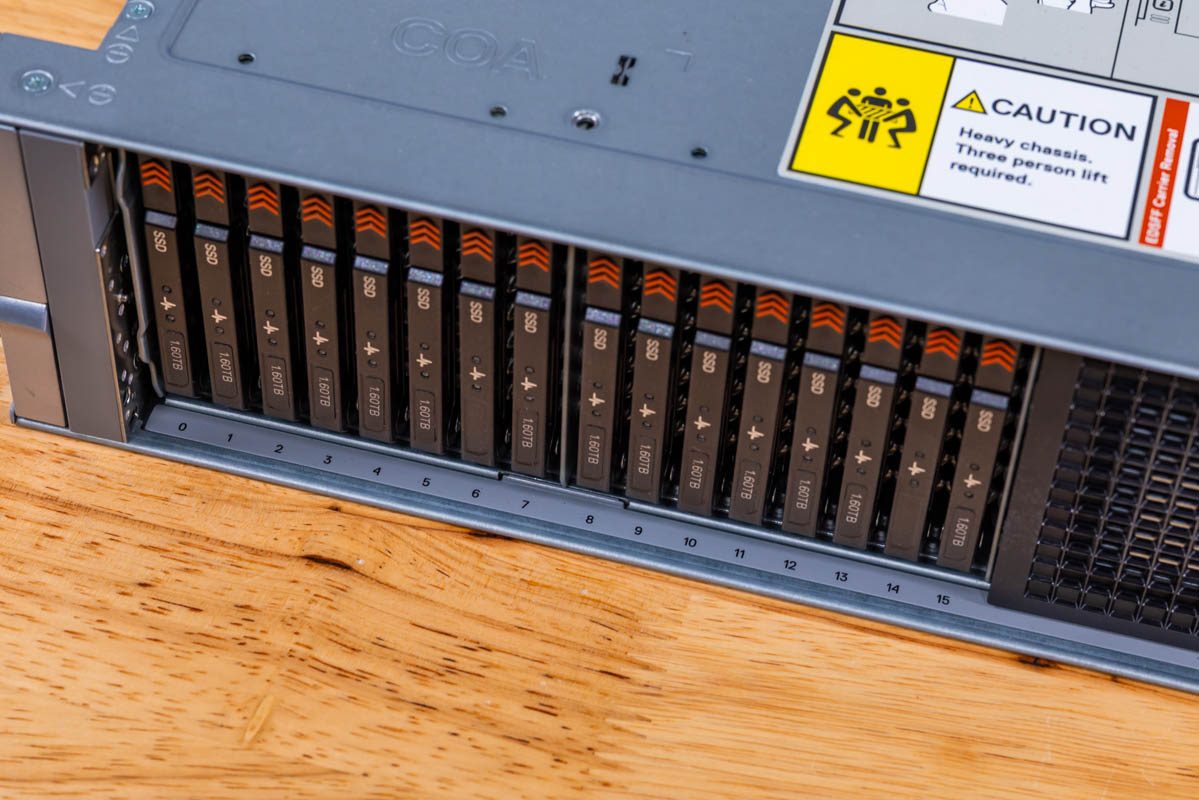
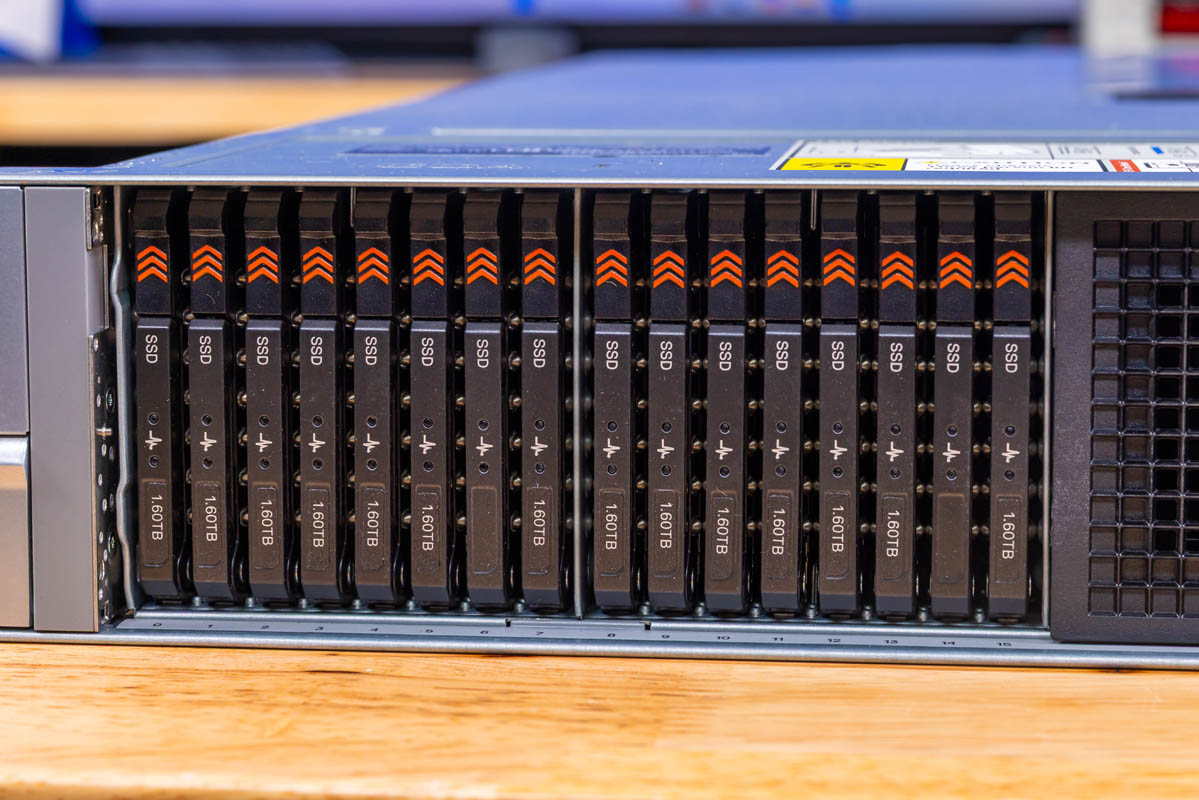
前面板分为两组 E3.S 托架,中间由中央通风区隔开。左右两组各自容纳垂直方向的 E3.S 托架,托架上带有橙色释放标记,便于识别和拔出单块硬盘。
Dell PowerEdge R770AP 上的垂直 E3.S 托架组,带有橙色释放标记和印制的硬盘位编号
在上一代 2.5 英寸硬盘位服务器上,把中央区域专门用于气流,通常意味着前面最多只能有不到 24 个 U.2 硬盘位。而采用 E3.S,中央既能保留直通风道,又能提供 32 个 E3.S 硬盘位,左右两侧各 16 个。
Dell PowerEdge R770AP 正面带编号的垂直 E3.S 托架正视图特写
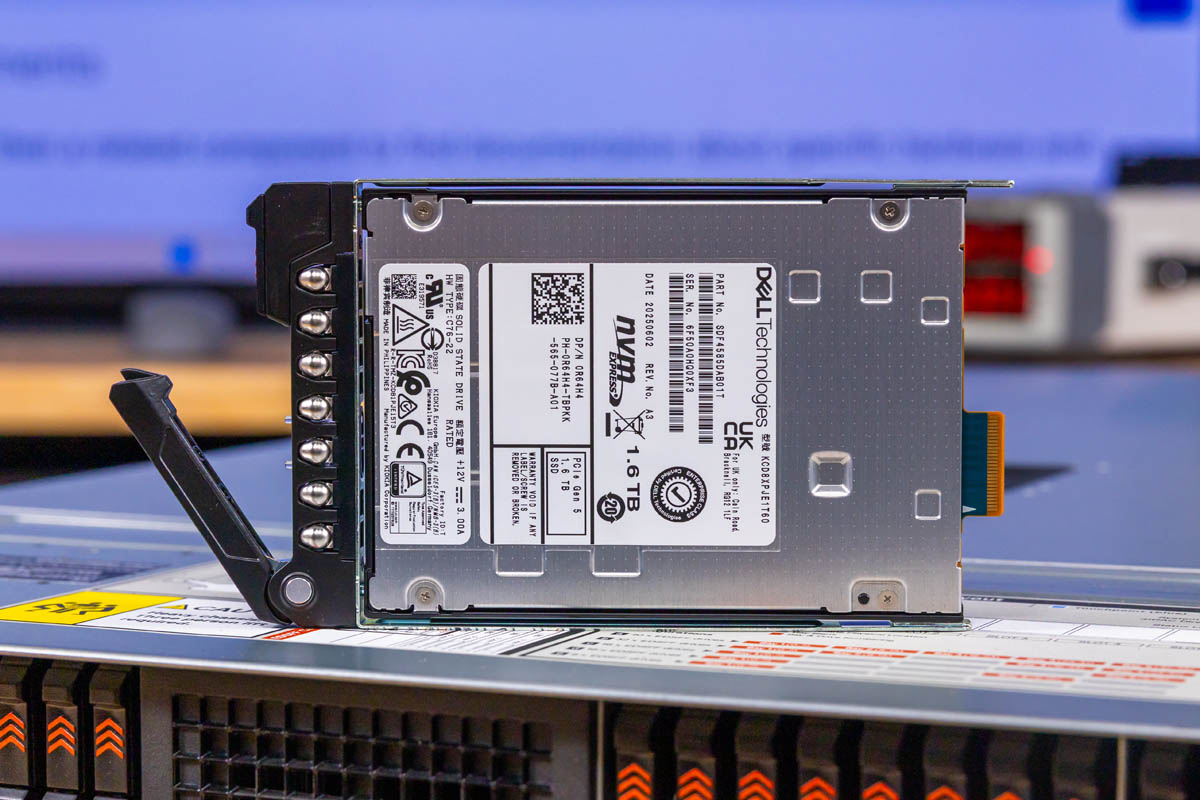
我们的配置使用了四块 Dell DC NVMe CD8P E3.S MU 1.6TB SSD。Dell 当前的产品规格列出的前置存储选项包括最多 32 块 EDSFF E3.S Gen5 NVMe 硬盘,另一种方案是最多 16 块 2.5 英寸 U.2 Gen5 x4 或 x2 NVMe SSD,以及无背板选项。E3.S 外形规格相比 2.5 英寸方案可在同一机箱内容纳更多设备。你可以在这里看到 Kioxia CD8 1.6TB E3.S SSD。
从 PowerEdge R770AP 中取出的 Dell DC NVMe CD8P E3.S MU 1.6TB SSD
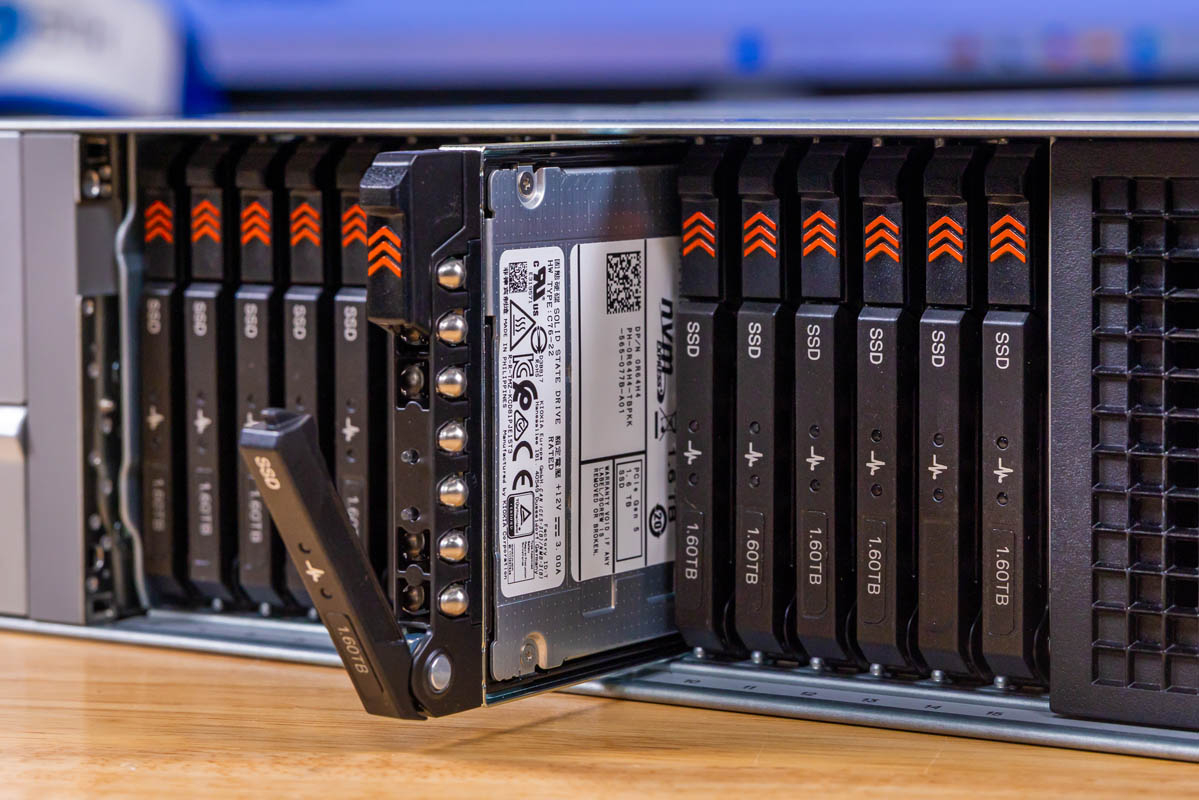
E3.S 载板比 U.2 载板更小,这有助于提升密度,但也让锁扣变得更细窄。
已拆出的 E3.S 载板从 Dell PowerEdge R770AP 前排斜向抽出,展示其接入机制
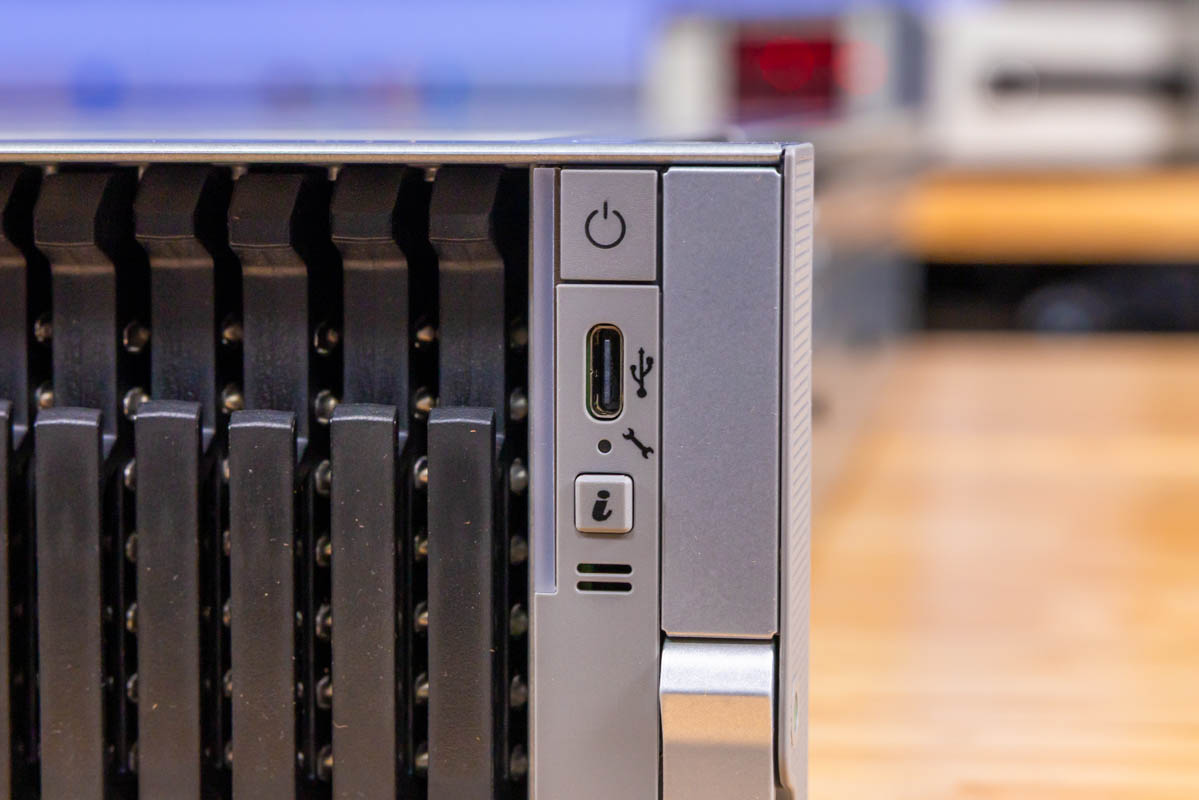
右侧前耳设有电源按钮、信息状态控制按键和一个 USB Type-C 插口。
Dell PowerEdge R770AP 右侧前耳,带有电源按钮、USB Type-C 以及信息/状态控制按键
Dell 将该接口标注为 USB 2.0 Type-C,所以别指望服务器上会出现支持 Thunderbolt 的 Type-C 端口。不过我们现在已有几台服务器把 Type-C 用作本地 KVM 输入输出的数据和视频接口,也许将来会朝这个方向发展,但这个口更多还是作为服务端口。
Dell PowerEdge R770AP 前置 USB 2.0 Type-C 端口与信息/电源按钮特写
顶部是 Dell 常规的锁扣式顶盖,表面平滑,但考虑到这是 Dell,也在意料之中。
Dell PowerEdge R770AP 机箱侧面全视图,展示导轨安装结构
两侧采用了金属板材,因为这里需要与导轨连接。
Dell PowerEdge R770AP 机箱的另一侧视图,可见安装结构
Dell 为这款机型配备的导轨安装起来也非常简单。
为 Dell PowerEdge R770AP 提供的机架滑轨组件,展示在服务器旁
后面板布局将扩展模块(riser)排列在顶部,电源位于下方两侧。模块化的启动网络组和管理端口占据这两者之间的中央区域。
Dell PowerEdge R770AP 的完整后面板视图,展示扩展槽、电源和模块化 I/O 组
你可能会好奇那块突出的金属部件是什么。那是 Dell 已经沿用多代的把手。随着服务器变得更大、更重,这个把手也越来越实用。
Dell PowerEdge R770AP 的机箱后部斜视图,可见模块深度与把手
这里的电源是冗余的 1.8kW 单元。Dell 有多种不同的电源选件,所以这只是我们为这台服务器所采用的配置。
Dell PowerEdge R770AP 热插拔电源 4
在转接卡下方,Dell 将固定后置 I/O 集中排布,这种布局在近几代 PowerEdge 中已为人所熟悉。这里有用于本地控制台访问的 VGA、两个被 Dell 标称为 USB 3.1 的 USB Type-A 端口,以及一个用于带外管理的专用 iDRAC 以太网端口。
Dell PowerEdge R770AP 后部:VGA、双 USB Type-A 端口以及转接卡下方的专用 iDRAC 以太网端口
一个专用的 iDRAC 以太网 RJ45 插口位于后置 USB 和 VGA 端口旁边。它为带外管理访问提供了独立的物理连接,与标准数据网络接口相区分。这个 iDRAC 接口存在的时间如此之久,以至于它已成为人们对所有带外管理解决方案的称呼之一。
Dell PowerEdge R770AP 后部专用 iDRAC RJ45 管理端口特写
我们还有两个后置 USB 3.1 端口,用于本地键盘、鼠标和 USB 存储。
Dell PowerEdge R770AP 上的两个蓝色后置 USB 3.1 Type-A 插口
VGA 接口提供了模拟控制台通路,许多数据中心运营人员至今仍依赖它进行初始上电启动或应急访问。许多数据中心还在使用 VGA 推车。这挺有意思:如今一台双路服务器价格早已稳进五位数美元区间,但数据中心推车上的共用 200 美元显示器,却让我们继续用着这项模拟技术。
Dell PowerEdge R770AP 后部 VGA 接口特写,用于本地控制台访问
Dell BOSS-N1 DC-MHS 启动方案位于后部。我们这台机器在两个橙色释放拨杆后面装了两块 480GB M.2 NVMe 硬盘。除了 BOSS 这个品牌名本身很酷之外,它还为使用 VMware 或 Windows Server 等操作系统的人提供了 RAID 1 系统盘方案——在这类场景下,启动卷可能需要某种非软件 RAID。在这里,Dell 通过在后部采用 BOSS 选项,还省下了两个前置盘位。
Dell BOSS-N1 DC-MHS 启动模块,配两个 480GB M.2 NVMe 载体和橙色释放拨杆,位于 R770AP 后部
Dell 在后部使用 OCP NIC 3.0 卡作为主要网络接口,因此可以获得低速 RJ45 网络或 200Gbps 以上的高速端口。此系统配置同时安装了 Broadcom BCM57608 和 ConnectX-6 Dx 控制器。
Dell PowerEdge R770AP 后部下方网络模块,标有 Port1/Port2,带两个笼位
在后部,Dell 提供多种转接卡配置,因此在全高、半高及其他配置方面更像是自选组合。在服务器设计中,要把当今功耗更高的 NIC、DPU、GPU 等装进后部,需要投入大量散热设计工作,因为 SSD、CPU 和内存会在空气到达后部转接卡之前先将其加热。
后部上方网络笼位,旁边是 Dell PowerEdge R770AP 上的 Gen5 标识
在这一代产品中,许多人仍会使用较低速的 10G 和 25G 网络。我们这里配备的是用于 200Gbps 端口的 QSFP56 网络。借助这一代 Xeon 6,你可以轻松运行 400Gbps 网卡(1x 400G 或 2x 200G)。如果你的网络基础设施支持,更高速的网络有助于为这些 AP 平台中的高端处理器提供数据。网卡的成本涨幅不如内存和存储那么大,因此在新集群中升级网络,正成为提升集群整体性能的一种越来越受欢迎的方式。
Dell PowerEdge R770AP 后面板上成对的上部后置网络笼与下部通风挡板
接下来,让我们进入系统内部,看看它是如何工作的。
译文由英文原文机器翻译,术语按行业惯例统一,可在文末展开原文核对。
查看英文原文(Dell PowerEdge R770AP Review One Fast Intel Xeon 6 Server)
The Dell PowerEdge R770AP is a 2U air-cooled, dual-socket server known for its high core density. It supports up to two Intel Xeon 6980P processors, each with 128 cores, for 256 installed cores total. Given the current Diamond Rapids schedule, this is set to be the major Intel platform for some time. We had been hoping to try this with Intel’s Xeon 6+ Clearwater Forest but Intel could not get us chips. The -AP stands for “Advanced Performance,” at least for the Intel ecosystem. Dell made a really sweet Intel Xeon server built around flexible I/O and storage. We wanted to get this review up with our newer AgentSTH V7 benchmarks, so let us get to it.
Dell PowerEdge R770AP External Hardware Overview
Starting from the outside, the R770AP presents as a standard 2U rack chassis with an 801mm rear I/O depth without bezel per Dell’s current technical specifications. The front of the system is dominated by storage, but not in the way you might expect from previous generations.
Dell PowerEdge R770AP front panel showing two E3.S drive banks flanking central ventilation section
Before we go too far, note that we have one configuration, but Dell offers many options for storage and expansion. So please take this more as an example configuration, but you can spend a lot of time in Dell’s configurator customizing these.
 Angled view of Dell PowerEdge R770AP front placing E3.S banks and central intake in whole chassis context
On the front lower edge, we get the Dell R770AP model markings and the service tag. You would be surprised by how many server models out there actually do not have the model number printed and visible from the front. One small impact is that the drive bays are labeled 25-31 with an arrow because the service tag replaces the area where the drive numbering would normally be printed.
 Close-up of Dell PowerEdge R770AP model marking at front lower edge
The front panel splits into two banks of E3.S carriers that are separated by a central ventilation section. The left and right banks each hold vertically oriented E3.S carriers with orange release markings that make individual drives easy to identify and remove.
 Vertical E3.S carrier bank on Dell PowerEdge R770AP with orange release markers and printed bay numbers
Having the center area dedicated for airflow on previous-generation 2.5″ drive bay servers meant you would usually have fewer than 24 possible U.2 drive bays up front. With E3.S, you get both a direct air channel in the center, as well as 32x E3.S drive bays with 16x on either side.
 Straight-on close view of numbered vertical E3.S carriers on Dell PowerEdge R770AP front
Our configuration uses four Dell DC NVMe CD8P E3.S MU 1.6TB SSDs. Dell’s current product specifications list front storage options including up to 32x EDSFF E3.S Gen5 NVMe drives, an alternative with up to 16x 2.5-inch U.2 Gen5 x4 or x2 NVMe SSDs, and a no-backplane option. The E3.S form factor allows more devices per chassis than the 2.5-inch option. You can see the Kioxia CD8 1.6TB E3.S SSD here.
 Removed Dell DC NVMe CD8P E3.S MU 1.6TB SSD from the PowerEdge R770AP
An E3.S carrier is smaller than a U.2 carrier, which helps with density but makes the latches slimmer.
 Released E3.S carrier angled out from Dell PowerEdge R770AP front bank showing access mechanism
The right front ear houses a power button, information status control, and a USB Type-C socket.
 Dell PowerEdge R770AP right front ear with power button, USB Type-C and information/status control
Dell specifies this connector as USB 2.0 Type-C, so do not get too excited about a Thunderbolt-capable Type-C port on a server. We have a few servers now, however, that are using Type-C for data and video as their local KVM I/O, so perhaps that will be where that goes one day, but this is more of a service port.
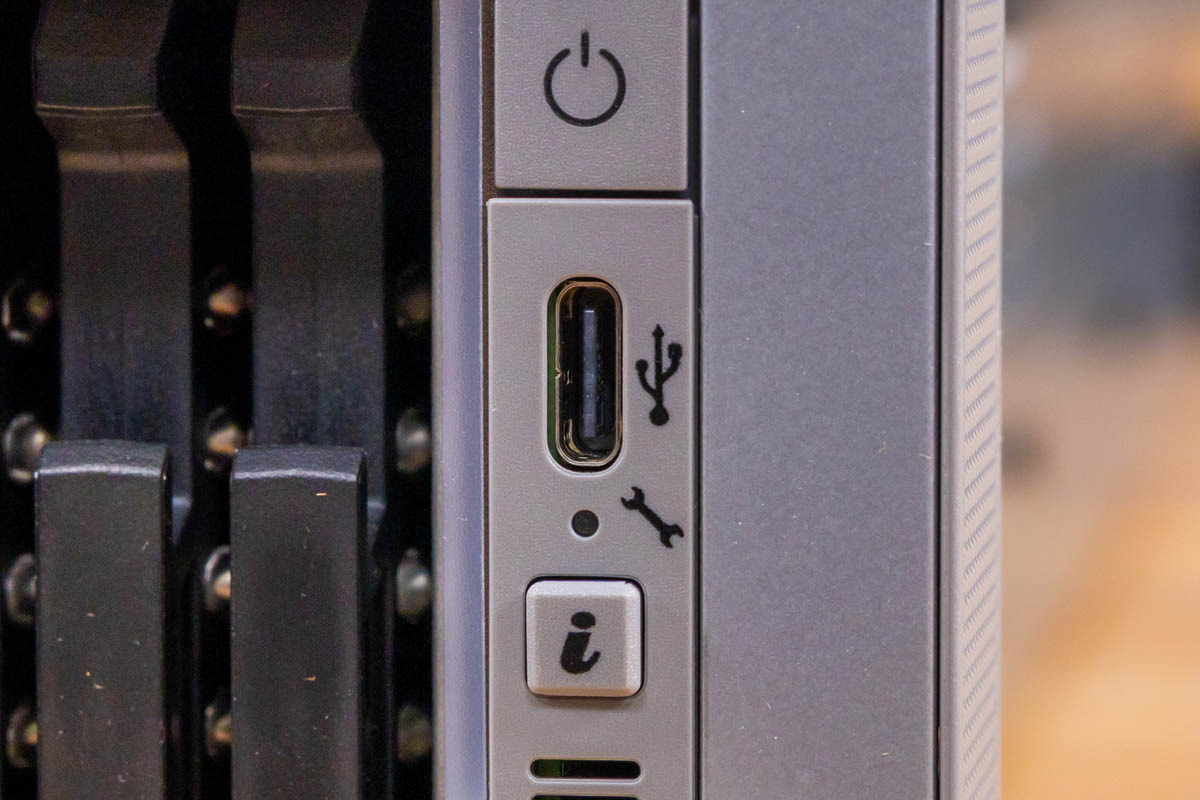 Close-up of front USB 2.0 Type-C port and info/power buttons on Dell PowerEdge R770AP
On the top, we get a normal Dell latching top which is smooth, but also expected since it is a dell.
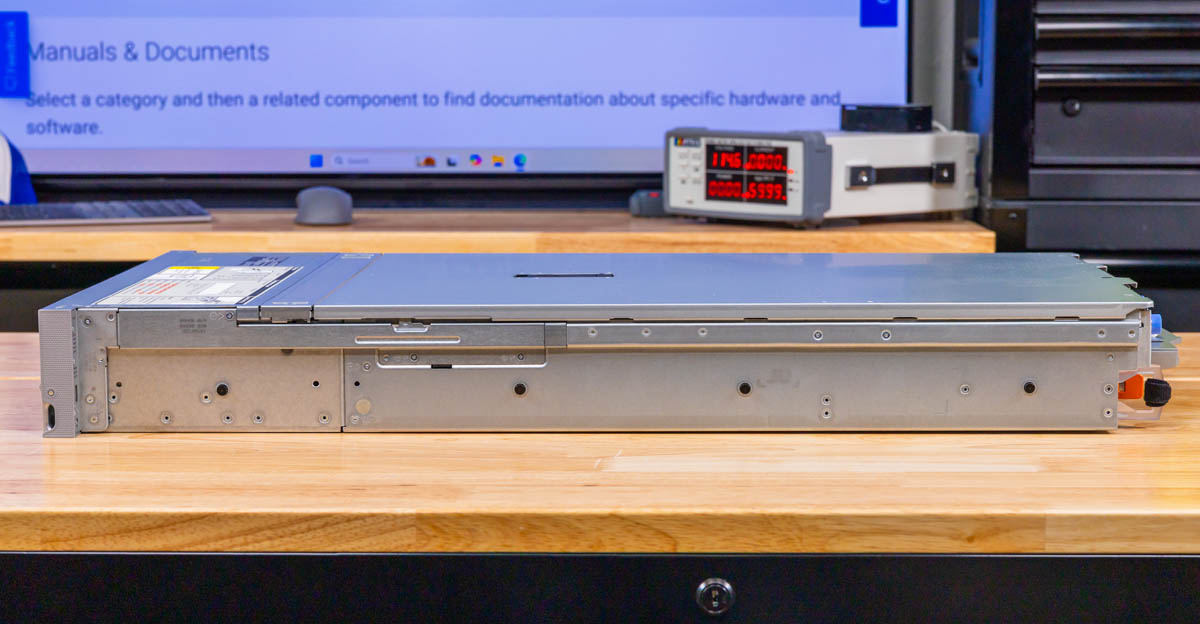 Full side view of Dell PowerEdge R770AP chassis showing rail mounting features
On the sides, we get sheet metal since this is meant to connect to rails.
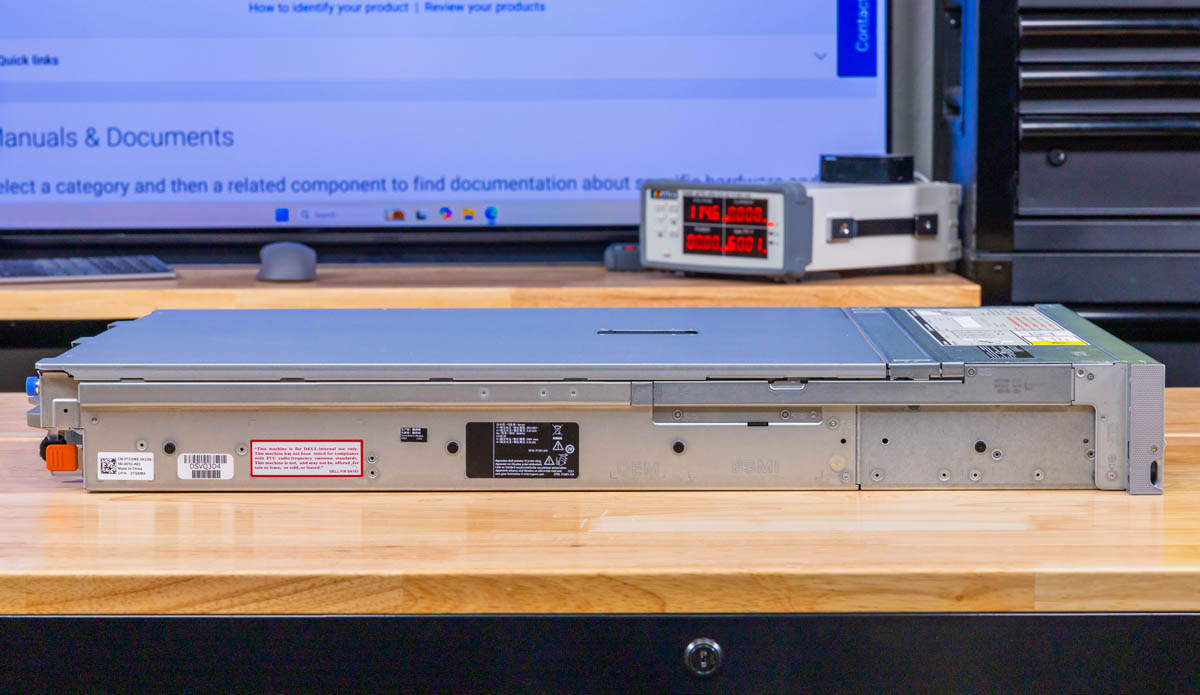 Opposite side view of Dell PowerEdge R770AP chassis with mounting features
Dell’s rails for this are also super easy to install.
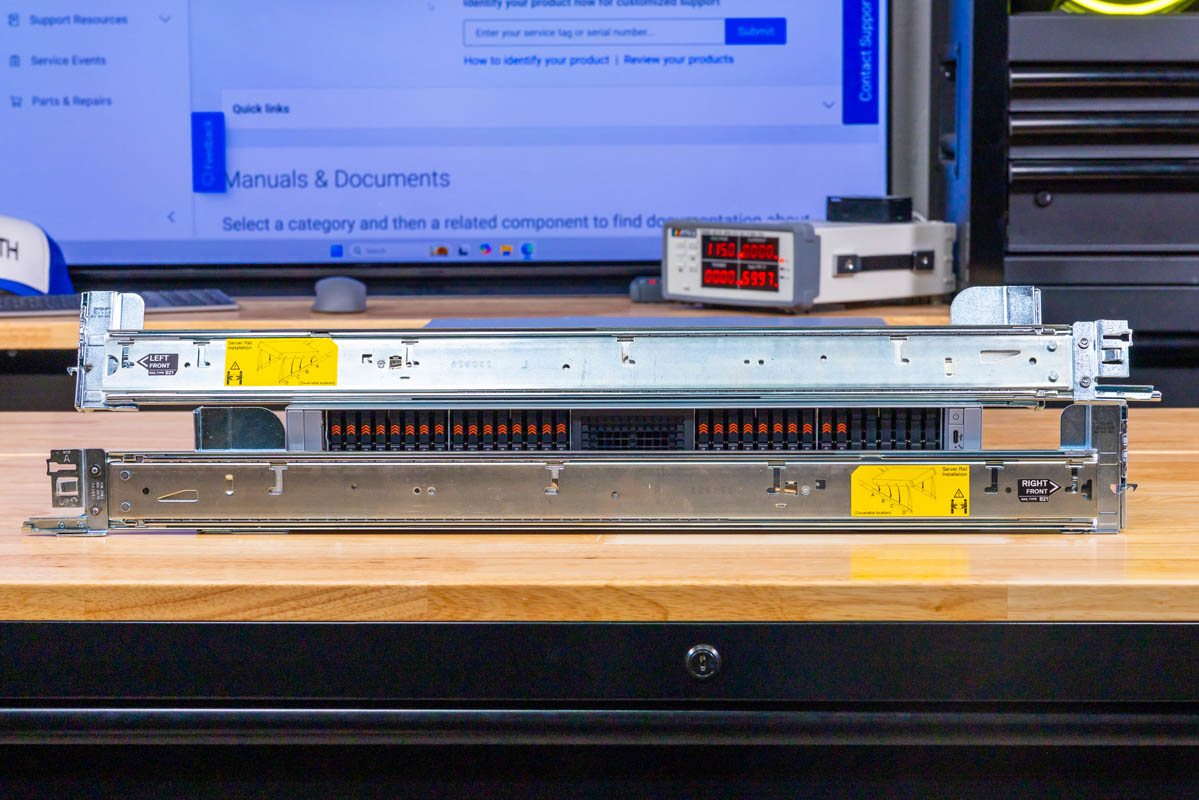 Rack slider assemblies supplied for the Dell PowerEdge R770AP shown beside server
The rear panel layout places riser modules across the top and power supplies at the lower sides. A modular boot network group and management ports occupy the central space between these.
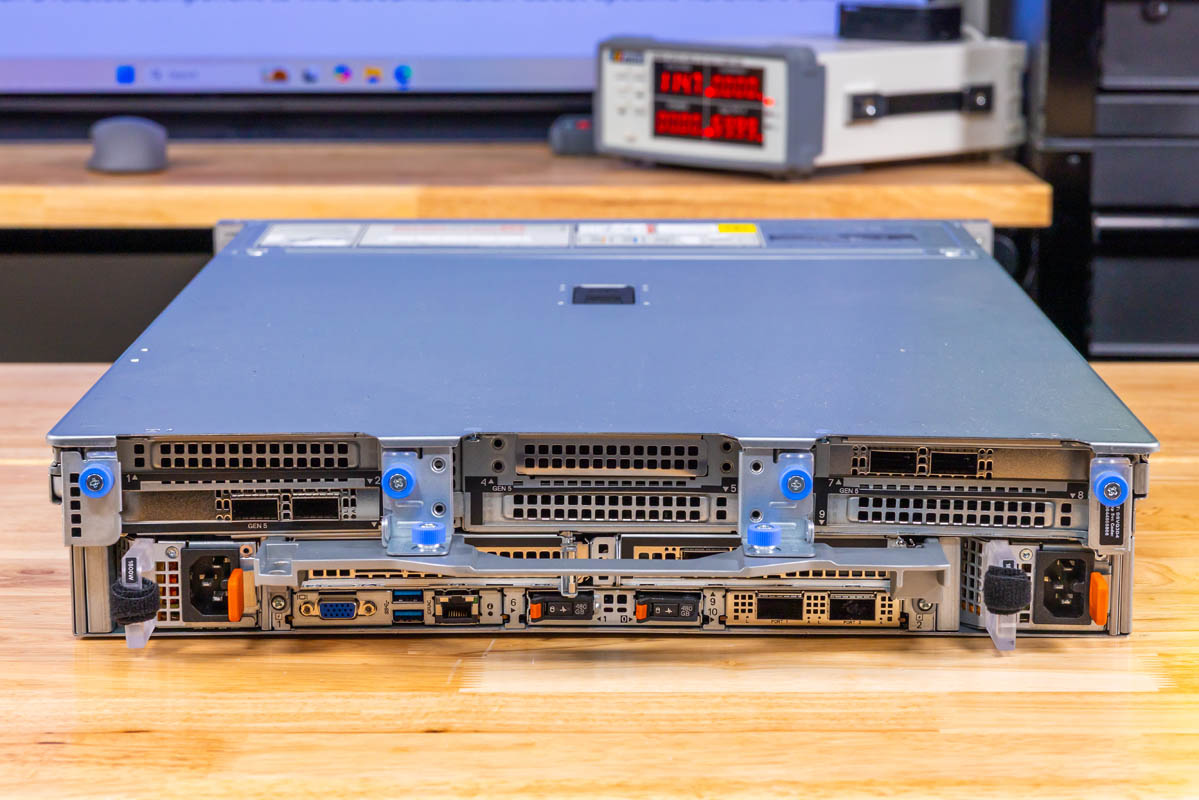 Complete rear panel view of Dell PowerEdge R770AP showing riser slots, PSUs and modular I/O group
You might be wondering about that big metal bit sticking out. That is a handle that Dell has been offering for generations. As the servers get bigger and heavier, the handle becomes more useful.
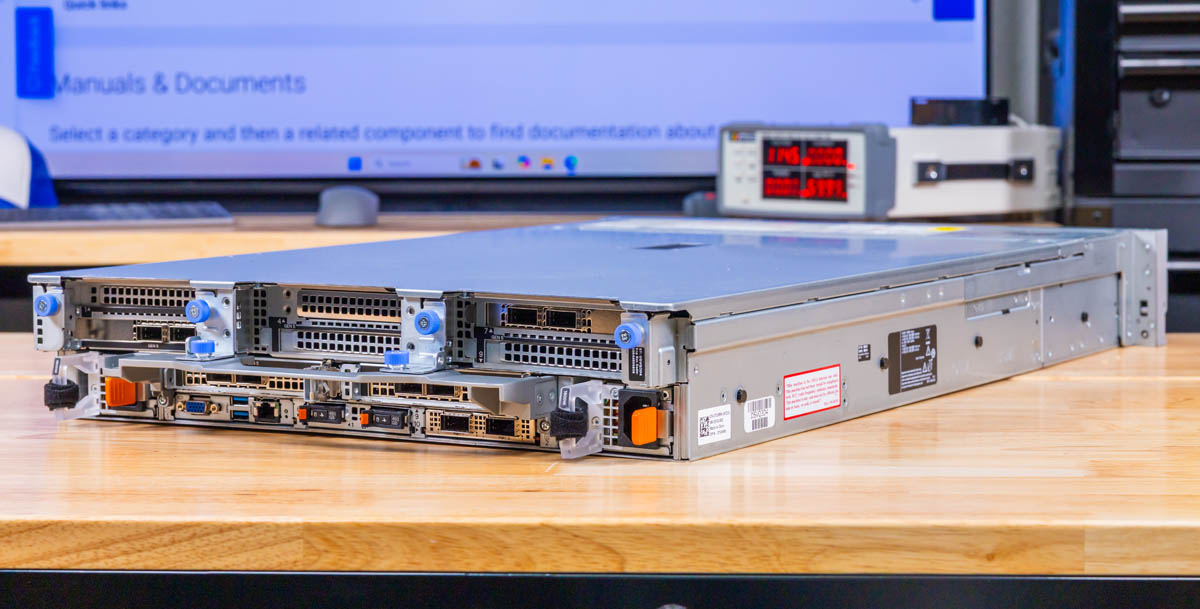 Rear angled whole chassis view of Dell PowerEdge R770AP with module depth and handles visible
The power supplies here are redundant 1.8kW units. Dell has many different power supply options, so this is just what we are using for this server.
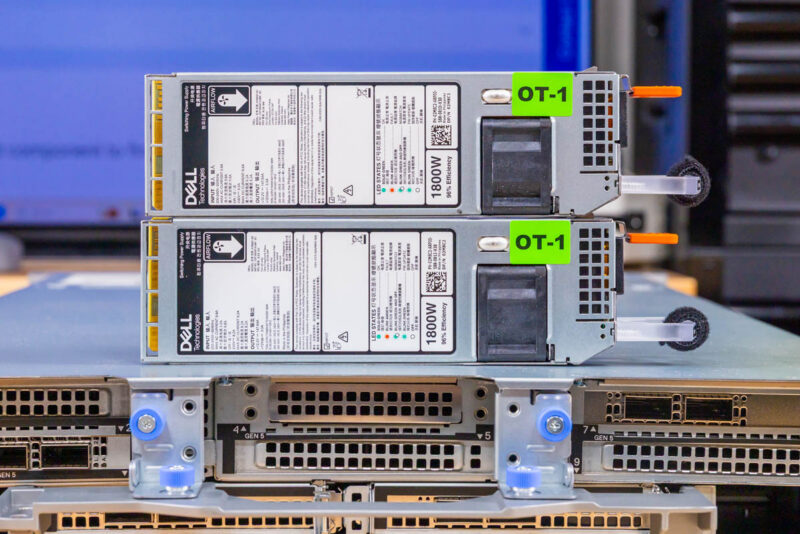 Dell PowerEdge R770AP Hot Swap Power Supply 4
Below the risers, Dell groups the fixed rear I/O in an arrangement that has become familiar across recent PowerEdge generations. You get VGA for local console access, two USB Type-A ports that Dell specifies as USB 3.1, and a dedicated iDRAC Ethernet port for out-of-band management.
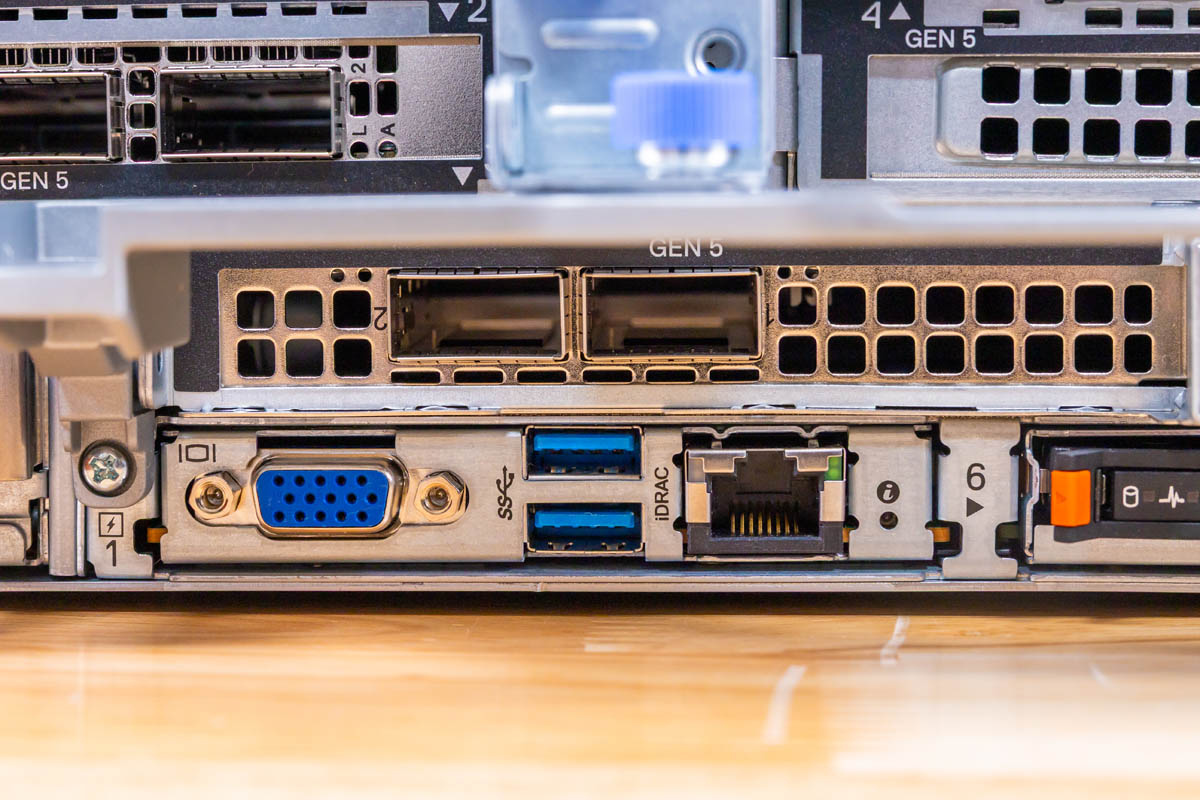 Dell PowerEdge R770AP rear VGA, dual USB Type-A ports and dedicated iDRAC Ethernet below risers
A dedicated iDRAC Ethernet RJ45 socket sits next to the rear USB and VGA ports. This provides a separate physical connection for out-of-band management access, distinct from standard data networking interfaces. This iDRAC interface has been around for so long that it is one of the names people use for all out-of-band management solutions.
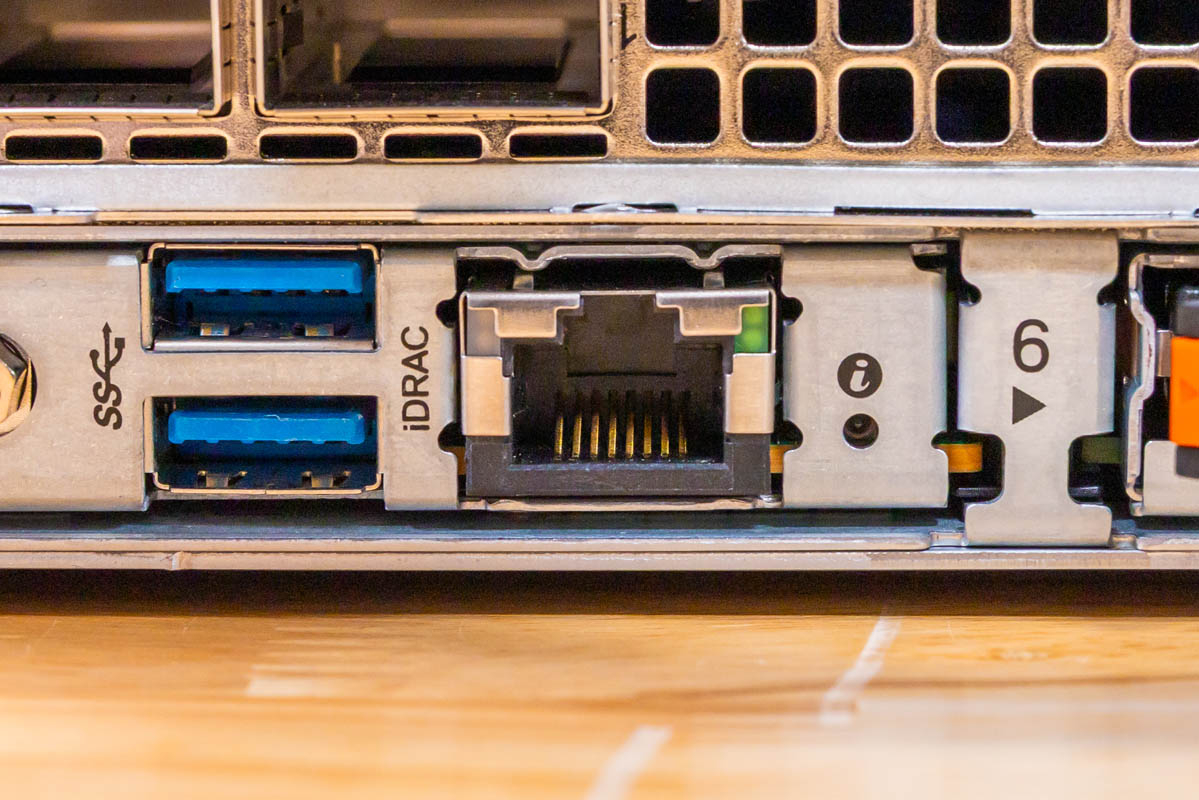 Closeup of dedicated iDRAC RJ45 management port on Dell PowerEdge R770AP rear
We also get two rear USB 3.1 ports for local keyboards, mice, and USB storage.
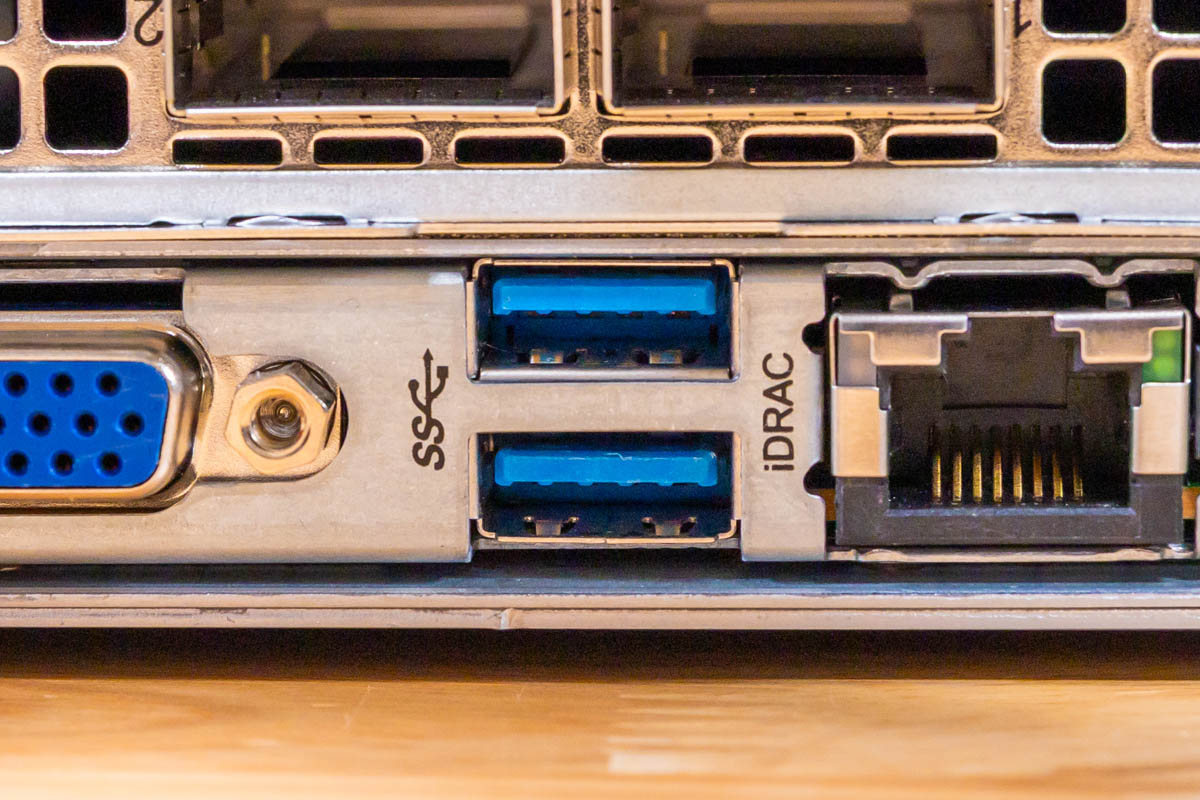 Two blue rear USB 3.1 Type-A sockets on Dell PowerEdge R770AP
The VGA connector provides the analog console path that many data center operators still rely on for initial bring-up or emergency access. Many data centers use VGA carts. That is funny, since we have servers now well into the five-figure range for a dual-socket server, yet shared $200 monitors on data center carts keep us using this analog technology.
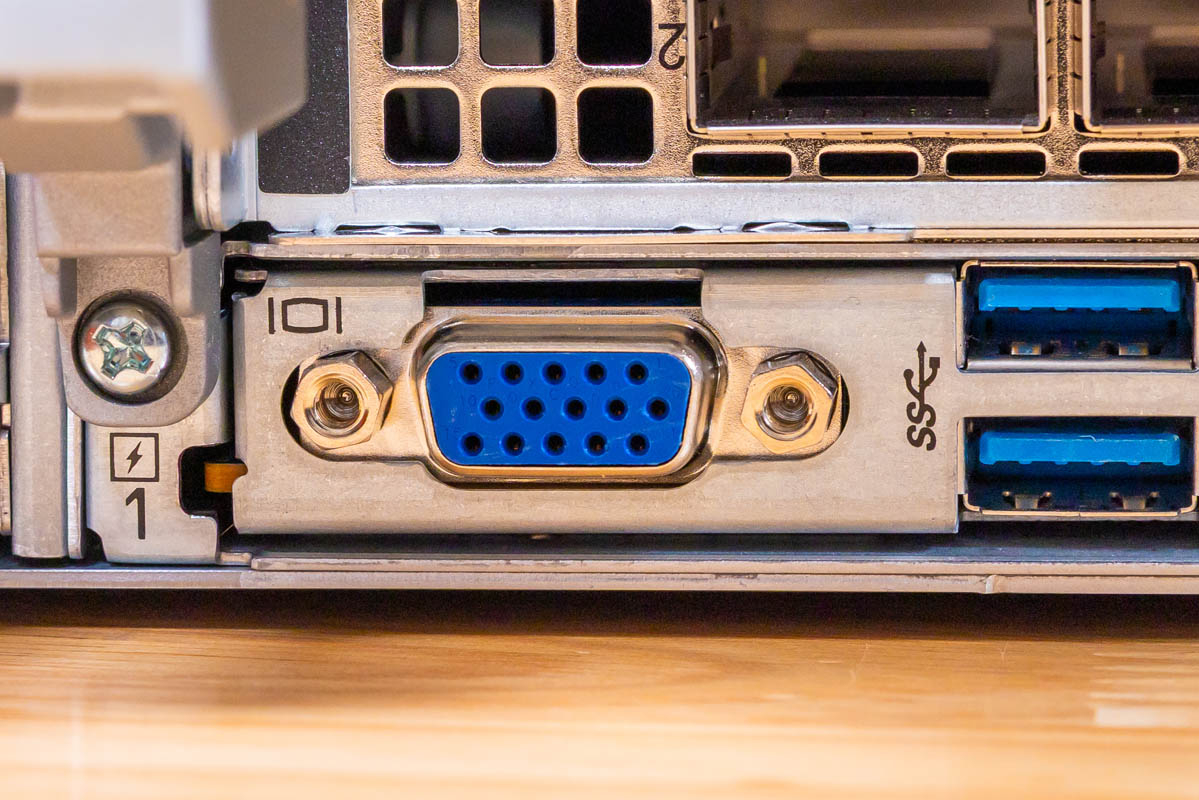 Rear VGA connector close-up for local console access on Dell PowerEdge R770AP
The Dell BOSS-N1 DC-MHS boot solution sits at the rear. Our unit carries two 480GB M.2 NVMe drives behind little orange release levers. Aside from BOSS being a cool brand name, it also provides a RAID 1 OS solution for those who are using OSes like VMware or Windows Server, where you may need some sort of non-software RAID for a boot volume. Here, Dell also saves two of the front bays by using the BOSS option in the back.
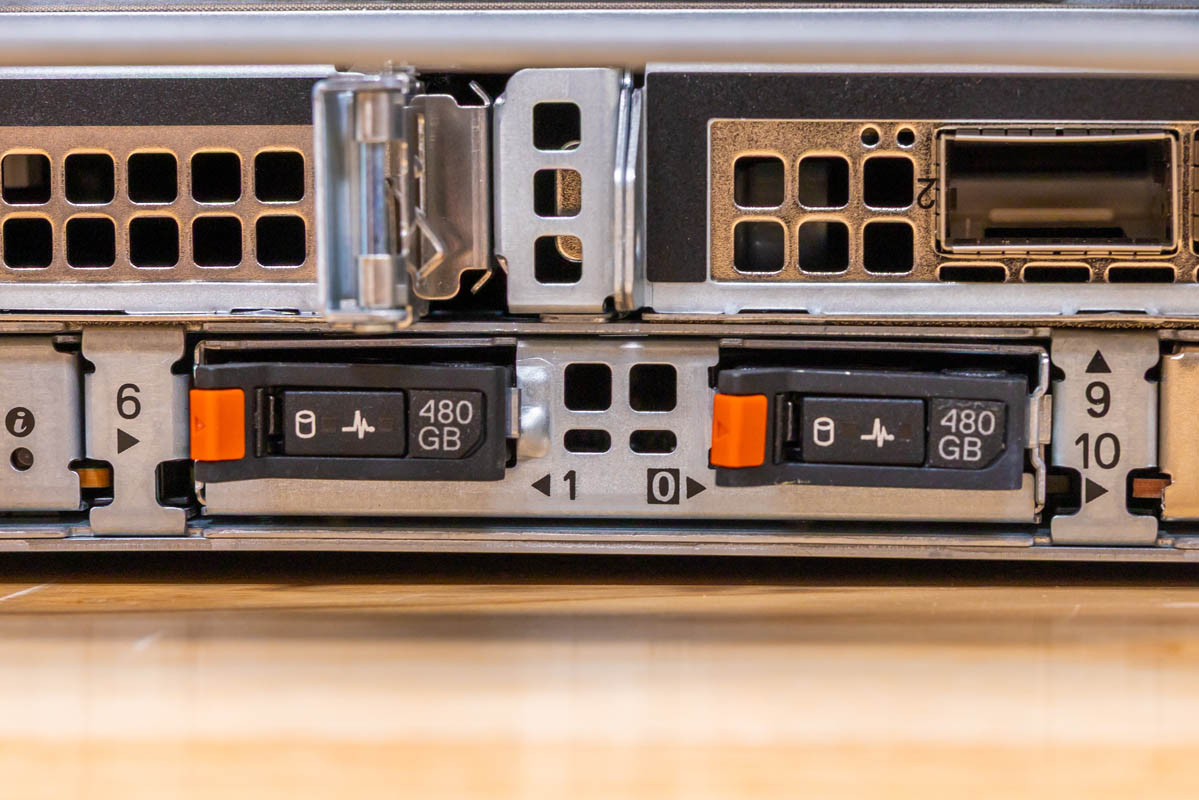 Dell BOSS-N1 DC-MHS boot module with two 480GB M.2 NVMe carriers and orange release levers at rear of R770AP
Dell uses OCP NIC 3.0 cards for primary networking in the back so you can get low-speed RJ45 networking or high-speed 200Gbps+ ports. This system configuration has both Broadcom BCM57608 and ConnectX-6 Dx controllers installed.
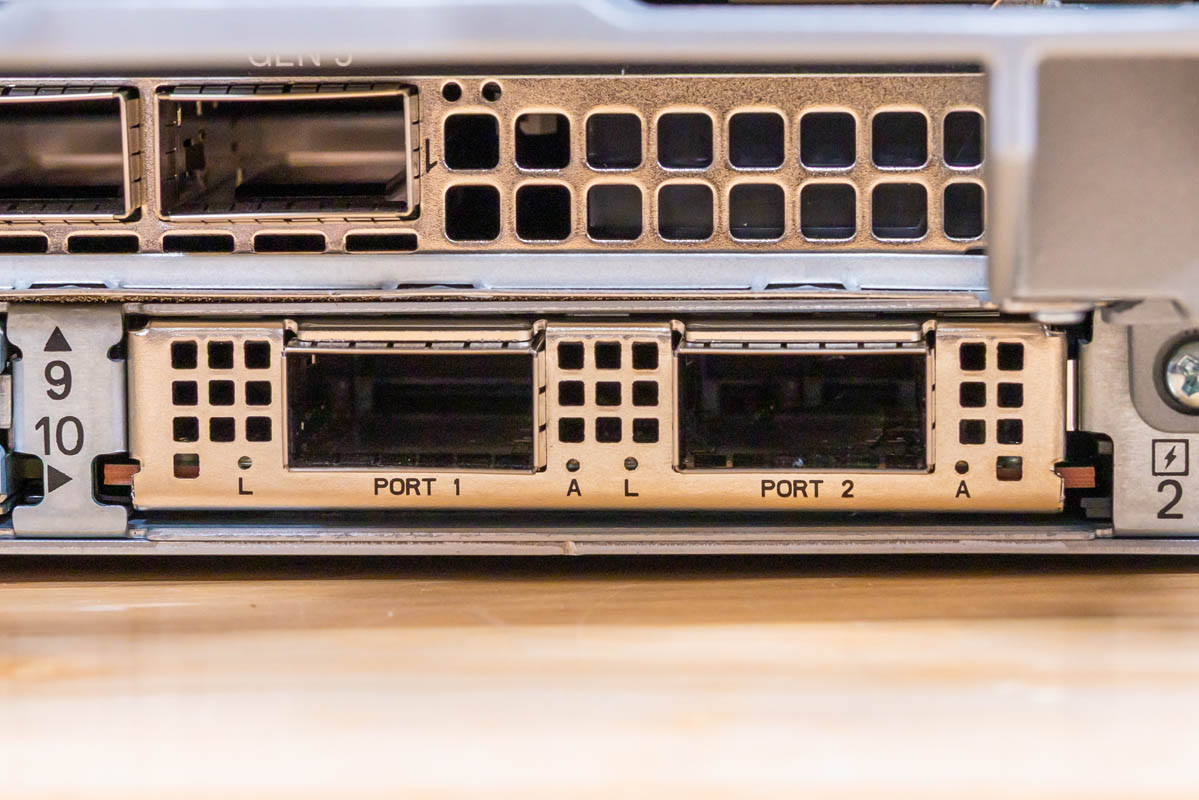 Lower rear network module labeled Port1/Port2 with two cages on Dell PowerEdge R770AP
On the rear, Dell has many riser configurations, so it is more of a pick-your-own adventure in terms of full-height, low-profile, and other configurations. In server designs, fitting today’s higher-power NICs, DPUs, GPUs, and more in the rear requires significant thermal design effort because the SSDs, CPUs, and memory heat the air before it reaches the rear risers.
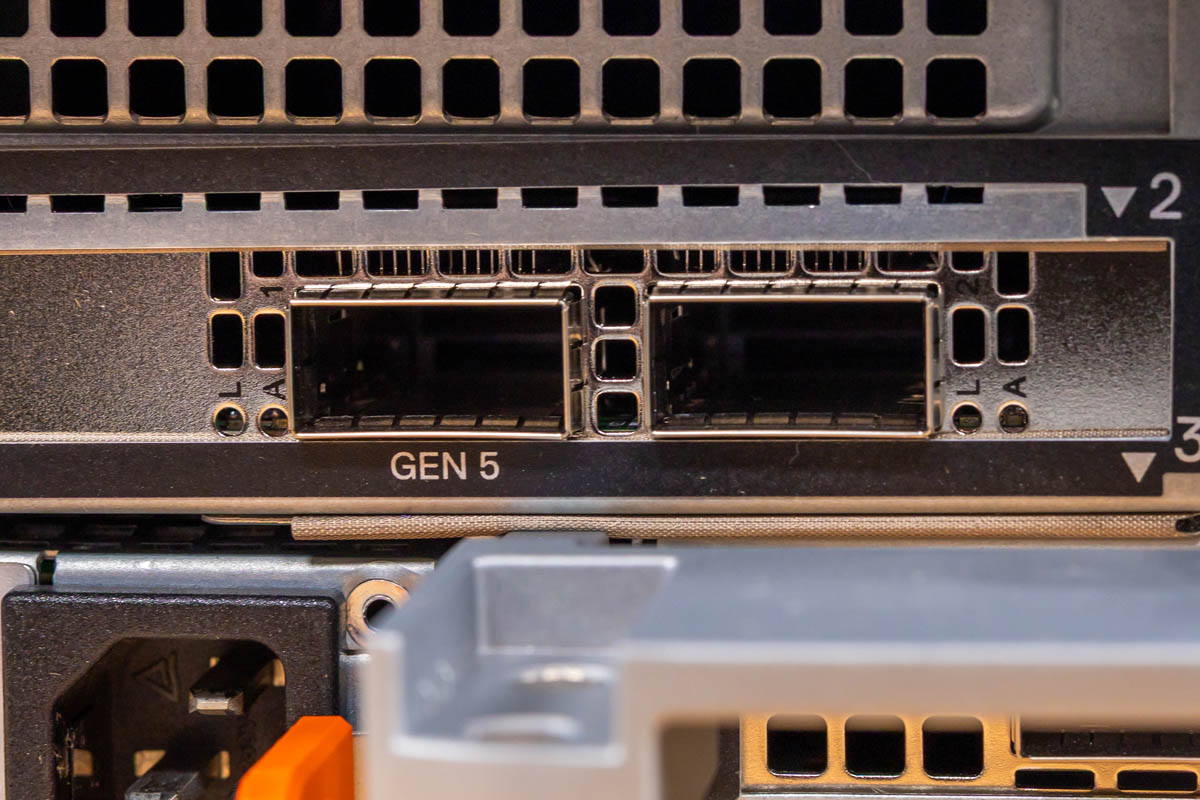 Upper rear network cage positions next to Gen5 labeling on Dell PowerEdge R770AP
In this generation, many will use lower-speed 10G and 25G networking. We have QSFP56 networking here for 200Gbps ports. With this generation of Xeon 6, you can easily run 400Gbps NICs (1x 400G or 2x 200G). If your network infrastructure supports it, faster networking helps feed the high-end processors in these AP platforms. NICs have not risen in cost as much as memory and storage, so upgrading networking in new clusters is becoming a more popular way to increase overall cluster performance.
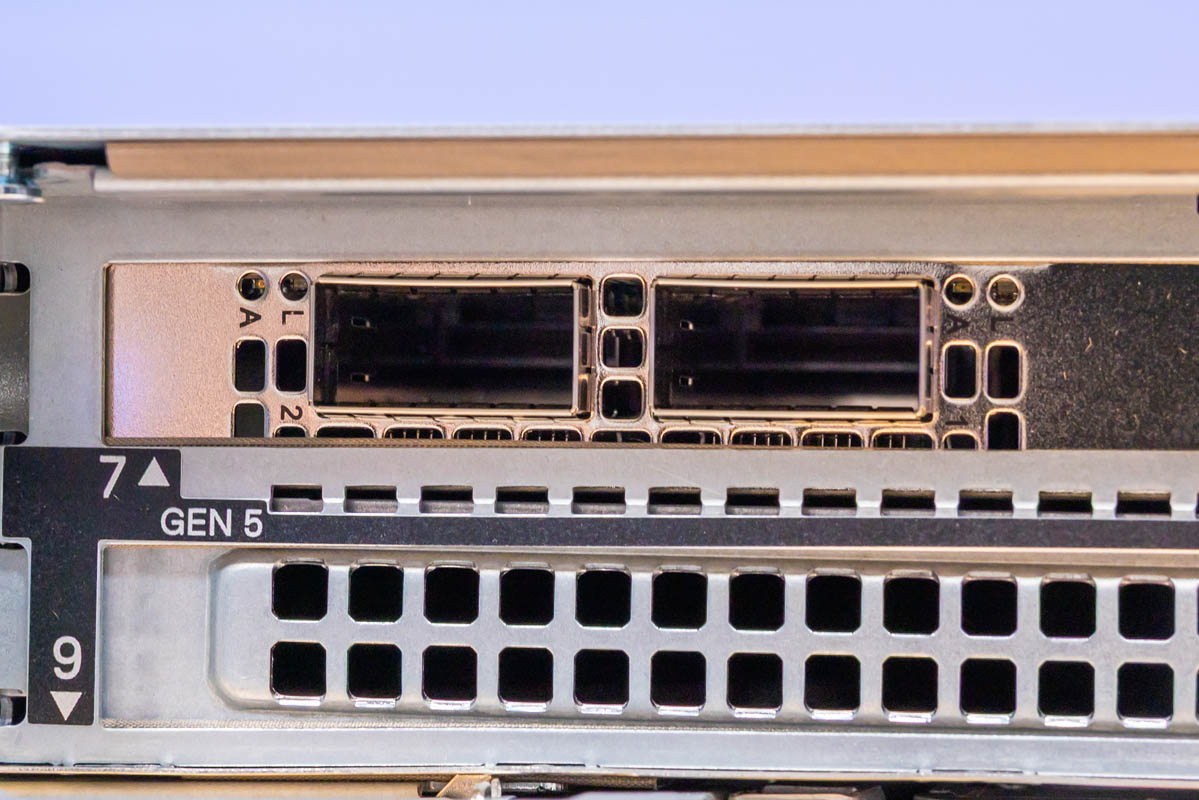 Paired upper rear network cages and lower vent blank on Dell PowerEdge R770AP rear panel
Next, let us get inside the system to see how it works.
原文为英文,正文由自动抓取并保留原文。
原文发布于 ServeTheHome(Dell PowerEdge R770AP Review One Fast Intel Xeon 6 Server),标题、摘要与正文由机器翻译,术语按行业惯例统一,未经人工逐句校订。


