用 Hermes Agent 与 Ollama 搭建本地多智能体
作者:Shittu Olumide,技术内容专家,2026年11月5日,发表于人工智能
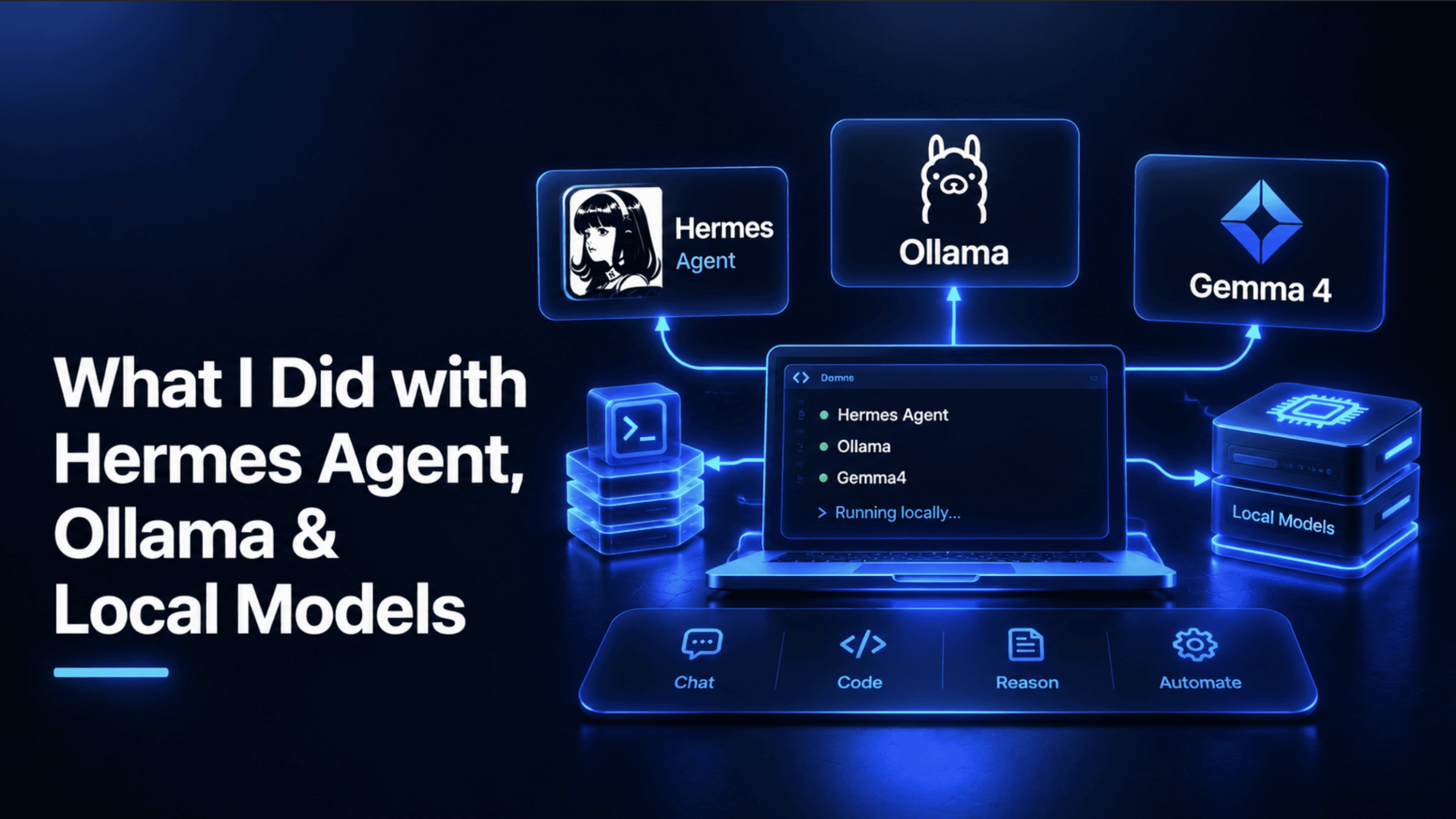
我想要一个 AI 智能体,能真正帮我规划旅行、研究目的地、推荐住宿地点,并找到真实航班——不用订阅,不用把每个问题都发送给云服务提供商,也不会因为使用越多而月账单越滚越高。这一番寻找让我发现了两个值得了解的工具:Hermes Agent 和 Ollama。本文就是将它们搭配使用后产出的真实项目:一个可运行、经过测试的多智能体旅行研究团队,完全运行在我自己的硬件上。
不过,在动手搭建之前,值得先真正理解承担工作的这两个工具,因为这个项目之所以可行,大部分要追溯到它们各自特别擅长的地方。
介绍 Hermes Agent
Hermes Agent 是由 Nous Research 构建的开源 AI 智能体,以宽松的 MIT 许可证发布,截至本文撰写时版本为 0.21.1。它有两种交付形式:面向 macOS、Windows 和 Linux 的原生桌面应用,以及终端优先的 CLI。两者提供的是同一个底层智能体,而不是精简版。
让 Hermes 区别于普通聊天机器人的,是真正的智能体能力。它可以读取和编辑你机器上的真实文件、运行终端命令,并浏览实时网络,而这正是这个旅行项目所依赖的组合:一个能够搜索最新目的地信息并基于所发现的内容采取行动的智能体,而不只是描述它会怎么做。
有几个特性对这样一个项目来说尤为关键。多智能体编排让一个协调者智能体可以把特定任务委派给专业子智能体,并把它们的结果汇总起来——这正是本文后面构建的旅行团队的整套架构。持久记忆意味着 Hermes 能跨会话记住细节——比如已声明的预算、过去的某次旅行、某种旅行风格——而不是每次打开都从零开始。它的 Model Context Protocol(MCP)工具支持让它能连接任何 MCP 服务器,包括运行在自身隔离容器中的沙箱化网络搜索工具;而它的自定义工具支持意味着你不会被内置功能所限制,本文后面那个真实的航班搜索工具正是靠这一点才得以接入。
理解 Ollama 与本地模型
Hermes 需要一个语言模型来真正进行思考,而这正是 Ollama 的职责。Ollama 是一款开源工具,它直接在你自己的电脑上下载、管理并提供大语言模型服务,通过一个本地 API 对外暴露这些模型,其行为与云服务商的 API 完全一致,只是指向 localhost 而不是互联网。正是这个细节让两者的组合得以成立:由于 Ollama 的 API 兼容 OpenAI,Hermes 可以用与对接任何云端模型相同的集成路径,去与一个完全运行在你本机上的模型通信。
“本地模型”是这件事的另一半,值得直白地理解。你不必把问题和文件发送到某家公司的服务器上、按 Token 计费,而是在自己的 CPU 或 GPU 上完整运行一个开放权重模型——其底层参数已公开、可下载。除了你的智能体决定执行的特定网络搜索之外,什么都不离开你的机器,而且没有使用账单,因为唯一的成本就是电脑在“思考”时消耗的电费。这种取舍很实在,也值得直白说明:消费级硬件上的本地模型,能力达不到前沿云端模型的原始水平,而且通常运行更慢,尤其是在没有 GPU 的情况下。对于本文所说的这类项目——研究、规划、工具使用——这种取舍其实是相当划算的。
两个工具都解释清楚了,下面就是它们真正被用来构建的项目。
这个项目——就叫它 Wanderlist——是这样运作的:告诉它你想去哪里,一支协同工作的本地 AI 智能体团队会研究目的地、推荐值得一看的地方、为你指引口碑良好的住宿选择,并交给你一个真实、可直接使用的航班搜索链接。除了实际涉及的网络搜索之外,没有任何请求离开你的机器,除了真正免费的部分之外,也不需要订阅或 API 密钥。
四项实际工作,每位团队成员负责一项:研究目的地及其当前的入境要求,推荐真正值得一看的地方,提供有口碑的住宿指引,以及生成一个真人可以立刻点击使用的真实航班搜索。
检查前提条件并安装 Ollama
这里真正重要的硬件要求,是能够运行一个具备真正工具调用支持的模型,因为一个能搜索网页并调用自定义工具的旅行研究团队,需要的正是这两方面都具备的模型。
24+ GB(用于 31B 级别的模型)
配备 8+ GB 显存的 NVIDIA GPU
curl -fsSL https://ollama.com/install.sh | sh
拉取一个具备真正工具调用支持的模型。前面提到的同一套逻辑在这里同样适用:不具备该能力的模型可以聊天,但无法真正分派任务或调用自定义工具,而这正是多智能体团队的核心意义所在。
代码说明:gemma4:31b 之所以值得多占用这些内存,正是因为该项目在四个相互独立的智能体之间分派工作,并调用一个自定义 Python 工具,这两者都要求模型能够可靠地理解何时以及如何调用工具,而不只是生成流畅的文本。
配置 Hermes 使用你的本地模型
在 ~/.hermes/config.yaml 中将 Hermes 指向 Ollama 的本地端点:
model:
 default: "gemma4:31b"
 provider: "custom"
 base_url: "http://localhost:11434/v1"
代码说明:provider: "custom" 让 Hermes 将其视为一个通用的、兼容 OpenAI 的端点,base_url 则把它指向本地运行在 11434 端口上的 Ollama。无需 API key,因为 Ollama 不会对其做校验。
设计旅行团队:一个协调器与三名专家
这才是真正的架构。一个根协调器接收旅行请求,并将其分派给三名专家,每名专家都承担一项范围狭窄、定义明确的职责。
agents: root: description: "旅行规划协调器" instruction: | 你是一个旅行规划协调器。当收到旅行请求时,将目的地研究委托给 destination-scout,将住宿指导委托给 stay-finder,将航班选项委托给 flight-finder。将他们的发现整合成一份清晰的旅行简报。 sub_agents: [destination-scout, stay-finder, flight-finder] toolsets: - type: think - type: memory path: ./trip_preferences.db destination-scout: description: "研究目的地、景点和入境要求" instruction: | 在网络上搜索所请求目的地的最新信息:值得参观的地点、一年中的最佳时间,以及任何签证或入境要求。始终重新搜索入境要求,绝不要凭记忆回答,因为这些要求会变化,而且出错会对旅行者产生实际后果。引用每个事实的来源。 toolsets: - type: mcp ref: docker:duckduckgo stay-finder: description: "寻找口碑良好的街区和住宿类型" instruction: | 在网络上搜索目的地住宿的当前、口碑良好的推荐,包括街区、住宿风格,以及来自近期旅行来源的典型价格范围。绝不要编造具体的房源或价格,只报告当前来源实际所说的内容。 toolsets: - type: mcp ref: docker:duckduckgo flight-finder: description: "构建真实的航班搜索链接和当前价格背景" instruction: | 给定出发地、目的地和旅行日期,使用 build_flight_search_url 工具生成真实的搜索链接。同时简要搜索网络,获取该航线当前典型票价范围,并明确标注这些为近似值。 toolsets: - type: mcp ref: docker:duckduckgo - type: custom path: ./tools/flight_link.py
代码说明:root 上的 sub_agents 列表正是把四个彼此独立的智能体定义整合为一个协同团队的关键,它让协调者获得一个内置工具,可将任务委派给任何指定名称的专家,并在继续执行前等待其返回结果。
注意 destination-scout 内部的明确指令:始终重新搜索最新的入境要求,而不是依据模型自身的训练数据作答。这是一个刻意为之且至关重要的安全选择:签证和入境规则会发生变化,模型若自信地复述记忆中的过时信息,在这里并不是小错;这类错误可能意味着有人没有携带正确证件就出现在机场。
stay-finder 在价格方面遵循同样的纪律:明确指令要求绝不编造具体数字,只报告真实、当前来源实际给出的内容。flight-finder 是唯一拥有两套工具集的智能体——用于获取上下文的网络搜索,以及一个指向 Python 文件的自定义工具,而后者正是整个项目所围绕构建的、名副其实的航班搜索机制。
构建真正的航班搜索工具
原文较长,译文为节选;译文由英文原文机器翻译,术语按行业惯例统一,可在文末展开原文核对。
查看英文原文(What I Did with Hermes Agent, Ollama & Local Models)
By Shittu Olumide, Technical Content Specialist on November 5, 2026 in Artificial Intelligence
I wanted an AI agent that could actually help me plan a trip, research a destination, suggest where to stay, and find a real flight — without a subscription, without sending every question to a cloud provider, and without a monthly bill creeping up the more I used it. That search led me to two tools worth knowing: Hermes Agent and Ollama. This article is the real project that came out of pairing them: a working, tested, multi-agent travel research team running entirely on my own hardware.
Before the build, though, it's worth actually understanding the two tools doing the work, since most of what makes this project possible traces back to what each one is specifically good at.
Introducing Hermes Agent
Hermes Agent is an open-source AI agent built by Nous Research, released under the permissive MIT license and currently at version 0.21.1 as of this writing. It ships in two ways: a native desktop app for macOS, Windows, and Linux, and a terminal-first CLI. Both give you the same underlying agent, not a stripped-down version.
What separates Hermes from an ordinary chatbot is genuine agentic capability. It can read and edit real files on your machine, run terminal commands, and browse the live web, which is the exact combination this travel project depends on: an agent that can search for current destination information and act on what it finds, not just describe what it would do.
A few features matter specifically for a project like this one. Multi-agent orchestration lets a coordinator agent delegate specific tasks to specialist sub-agents and combine their results, which is the entire architecture behind the travel team built later in this article. Persistent memory means Hermes can remember details across sessions — a stated budget, a past trip, a travel style — rather than starting from zero every time you open it. Its Model Context Protocol (MCP) tool support connects it to any MCP server, including a sandboxed web search tool run in its own isolated container, and its custom tool support means you're not limited to what ships built in, which is how the real flight search tool later in this article gets wired in at all.
Understanding Ollama and Local Models
Hermes needs a language model to actually think with, and that's Ollama's job. Ollama is an open-source tool that downloads, manages, and serves large language models directly on your own computer, exposing them through a local API that behaves exactly like a cloud provider's, just pointed at localhost instead of the internet. That detail is what makes the whole pairing work: because Ollama's API is OpenAI-compatible, Hermes can talk to a model running entirely on your machine using the same integration path it would use for any cloud model.
"Local models" is the other half of this worth understanding plainly. Rather than sending your questions and files to a company's servers and getting billed per token, you run an open-weight model — one whose underlying parameters are published and downloadable — entirely on your own CPU or GPU. Nothing leaves your machine except the specific web searches your agent decides to run, and there's no usage bill, since the only cost is the electricity your computer uses while it's thinking. The trade-off is honest and worth stating plainly too: a local model on consumer hardware won't match a frontier cloud model's raw capability, and it'll typically run slower, especially without a GPU. For a project like the one in this article — research, planning, tool use — that trade-off is a genuinely good deal.
With both tools explained, here's the real project they're being used to build.
The project — call it Wanderlist — works like this: tell it where you want to go, and a coordinated team of local AI agents researches the destination, suggests notable places, points you toward well-regarded places to stay, and hands you a real, ready-to-use flight search link. No request leaves your machine except the actual web searches involved, and there's no subscription or API key beyond what's genuinely free.
Four real jobs, one for each team member: research the destination and its current entry requirements, suggest what's actually worth seeing, point toward reputable accommodation guidance, and generate a real flight search a person can click and use immediately.
Checking Prerequisites and Installing Ollama
The hardware requirement that actually matters here is being able to run a model with real tool-calling support, since a travel research team that can search the web and call custom tools needs a model genuinely capable of both.
24+ GB (for a 31B-class model)
NVIDIA GPU with 8+ GB VRAM
curl -fsSL https://ollama.com/install.sh | sh
Pull a model with real tool-calling support. The same reasoning from earlier applies here: a model without it can chat, but it can't actually delegate tasks or call a custom tool, which is the entire point of a multi-agent team.
Code explanation:gemma4:31b is worth the extra RAM specifically because this project delegates work between four separate agents and calls a custom Python tool, both of which require a model that reliably understands when and how to invoke a tool, not just produce fluent text.
Configuring Hermes to Use Your Local Model
Point Hermes at Ollama's local endpoint in ~/.hermes/config.yaml:
model:
default: "gemma4:31b"
provider: "custom"
base_url: "http://localhost:11434/v1"
Code explanation:provider: "custom" tells Hermes to treat this as a generic OpenAI-compatible endpoint, and base_url points it at Ollama running locally on port 11434. No API key is needed, since Ollama doesn't check for one.
Designing the Travel Team: A Coordinator and Three Specialists
This is the real architecture. A root coordinator receives the trip request and delegates to three specialists, each with a narrow, well-defined job.
agents:
 root:
 description: "Travel planning coordinator"
 instruction: |
 You are a travel planning coordinator. When given a trip request,
 delegate destination research to destination-scout, accommodation
 guidance to stay-finder, and flight options to flight-finder.
 Combine their findings into one clear trip briefing.
 sub_agents: [destination-scout, stay-finder, flight-finder]
 toolsets:
 - type: think
 - type: memory
 path: ./trip_preferences.db

 destination-scout:
 description: "Researches destinations, attractions, and entry requirements"
 instruction: |
 Search the web for current information on the requested destination:
 notable places to visit, best time of year, and any visa or entry
 requirements. Always search fresh for entry requirements, never
 answer from memory, since these change and being wrong has real
 consequences for travelers. Cite where each fact came from.
 toolsets:
 - type: mcp
 ref: docker:duckduckgo

 stay-finder:
 description: "Finds well-regarded neighborhoods and accommodation types"
 instruction: |
 Search the web for current, well-regarded recommendations on
 where to stay in the destination, neighborhoods, accommodation
 styles, and typical price ranges from recent travel sources.
 Never invent specific listings or prices, only report what
 current sources actually say.
 toolsets:
 - type: mcp
 ref: docker:duckduckgo

 flight-finder:
 description: "Builds real flight search links and current price context"
 instruction: |
 Given an origin, destination, and travel dates, use the
 build_flight_search_url tool to generate a real search link.
 Also search the web briefly for current typical fare ranges on
 this route, clearly labeling them as approximate.
 toolsets:
 - type: mcp
 ref: docker:duckduckgo
 - type: custom
 path: ./tools/flight_link.py
Code explanation: the sub_agents list on root is what turns four separate agent definitions into one coordinated team, granting the coordinator a built-in tool to delegate a task to any named specialist and wait for its result before continuing.
Notice the explicit instruction inside destination-scout to always search fresh for entry requirements rather than answering from the model's own training data. This is a deliberate, important safety choice: visa and entry rules change, and a model confidently repeating stale information from memory here isn't a minor error; it's the kind of mistake that could mean someone shows up at an airport without the right documentation.
stay-finder gets the same discipline applied to pricing: an explicit instruction never to invent a specific number, and to only report what a real, current source actually says. flight-finder is the only agent with two toolsets — web search for context and a custom tool pointing at a Python file, which is the honest flight search mechanism this whole project is built around.
Building a Real Flight Search Tool
This is the piece the whole project depends on being honest. Since no free, real-time flight-pricing API currently exists, the practical, genuinely useful move is generating a real Google Flights search URL using its natural-language query parameter, something that requires no API key at all and produces a link that actually works.
# tools/flight_link.py
import urllib.parse
from datetime import datetime


def build_flight_search_url(origin: str, destination: str, depart_date: str, return_date: str | None = None) -> str:
 """Builds a real Google Flights search URL. Raises ValueError on
 malformed input rather than silently producing a broken link."""
 if not origin.strip() or not destination.strip():
 raise ValueError("Origin and destination cannot be empty")

 try:
 datetime.strptime(depart_date, "%Y-%m-%d")
 except ValueError:
 raise ValueError(f"depart_date must be in YYYY-MM-DD format, got '{depart_date}'")

 query = f"Flights from {origin.strip()} to {destination.strip()} on {depart_date}"
 if return_date:
 try:
 datetime.strptime(return_date, "%Y-%m-%d")
 except ValueError:
 raise ValueError(f"return_date must be in YYYY-MM-DD format, got '{return_date}'")
 query += f" returning {return_date}"

 encoded_query = urllib.parse.quote(query)
 return f"https://www.google.com/travel/flights?q={encoded_query}"
Code explanation:urllib.parse.quote is what makes this genuinely reliable rather than a fragile string concatenation; it percent-encodes every space and special character in the query so multi-word city names like "Ho Chi Minh City" or "New York" produce a correctly formed URL rather than one that breaks the moment it hits a browser.
The two try/except blocks around date parsing exist specifically so a malformed date raises a clear, immediate error the calling agent can react to and ask the user to correct, rather than silently producing a link that points nowhere useful.
The memory toolset on the coordinator, path: ./trip_preferences.db, means the team can remember things across sessions rather than starting fresh every conversation: a stated budget range, a preference for boutique stays over big chains, a past trip that came up. That persistence is what turns this from a one-off script into something that actually gets more useful the more you use it, since Hermes' memory system is designed specifically to learn from context over time rather than resetting with every new session.
Running a Real Trip-Planning Session
hermes run travel-team.yaml
You: I want to go to Portugal in mid-October, flying from Madrid, Spain.
 Budget-conscious, interested in history and food.
Here's what happens next, in order: the coordinator receives the request and delegates three tasks. destination-scout searches for current Portugal travel information, entry requirements for Spanish citizens specifically (since those change and must never be answered from memory), and attractions relevant to history and food.
stay-finder searches for well-regarded, budget-conscious neighborhoods in Lisbon and Porto from recent travel sources. flight-finder calls build_flight_search_url("Madrid", "Lisbon", "2026-10-14") and separately searches for current typical fare context on that route. The coordinator then combines all three into one trip briefing, with a real clickable flight search link, sourced destination information, and accommodation guidance clearly labeled as guidance rather than live listings, and stores the budget-conscious, history-and-food preference in memory for next time.
What we shipped here isn't a flashy demo; it's a real, working local project: a coordinated team of specialist agents, running entirely on local hardware through Hermes and Ollama, that researches a destination, suggests where to stay, and hands back a genuinely usable flight search, all for the cost of the electricity to run it.
Shittu Olumide is a software engineer and technical writer passionate about leveraging cutting-edge technologies to craft compelling narratives, with a keen eye for detail and a knack for simplifying complex concepts. You can also find Shittu on Twitter.
原文为英文,正文由自动抓取并保留原文。
原文发布于 KDnuggets(What I Did with Hermes Agent, Ollama & Local Models),标题、摘要与正文由机器翻译,术语按行业惯例统一,未经人工逐句校订。