预打包洁净室如何将 RampID 引入你的湖仓
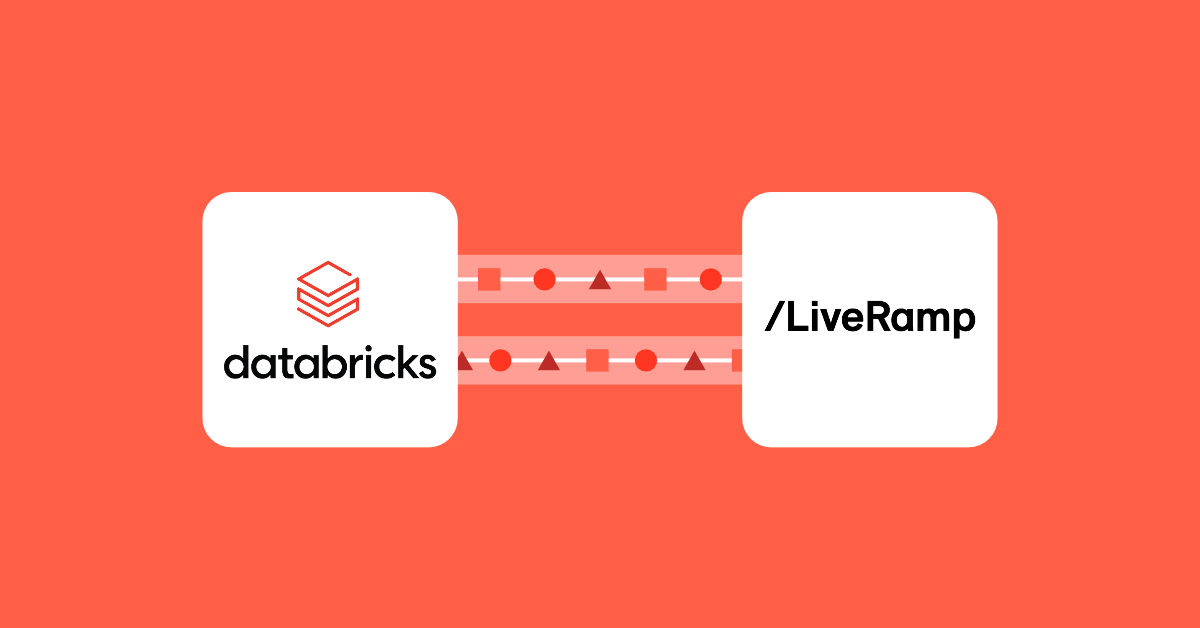
双方的资产通过 OpenSharing 以实时、只读访问的方式进入洁净室,结果也通过同一机制共享回来。
合作伙伴身份解析过去意味着将你的 PII 发送给供应商
过去在 Databricks 上,为了将客户记录解析为基于个人的 ID(例如 RampID),数据团队必须将 PII 导出到外部服务,等待匹配文件,再将其加载回来。每一步都增加了一条需要维护的管道、一份需要治理的敏感数据副本,以及结果可用前的延迟。打包式洁净室打破了这一传统模式,消除了这种往返流程的需求。
Databricks 上的 LiveRamp Embedded Identity 将身份服务带到数据所在之处。任何人都可以利用 LiveRamp 的身份解析解决方案,而无需让其宝贵的客户数据离开自有存储。只需最少设置,客户即可在其分析和 AI 工作负载已经运行的环境中收到解析后的 RampID 列表,同时保持 Unity Catalog 治理。这些附加到客户数据中的 RampID 成为高影响力下游用例的匹配键,例如:
一家发布商在 Databricks 中基于经过身份验证的观看数据构建体育迷细分受众。通过与一家汽车广告主的 CRM 进行获准匹配,它可以评估广告主潜在客户池中、排除现有客户后的体育迷受众规模。
某代理机构在一项受治理的协作中,将参与其中的出版方的流媒体与数字曝光日志同一家零售商的会员忠诚度关联购买数据汇集到一起。在合作方拥有兼容且已获授权的 RampID 的情况下,该代理机构可以对这些投放进行去重触达统计,并报告有多少被曝光过的购物者完成了购买。借助留出组,它还能估算增量销售额,并用这一证据指导下一轮预算分配。
什么是打包式数据洁净室
Databricks 数据洁净室是一个安全环境,两个或多个参与方可在其中对合并后的数据运行经批准的代码,而不会向彼此泄露原始数据或知识产权(IP)。计算在一个隔离的、由 Databricks 管理的环境中进行,任何参与方都不对该环境行使管理权。
在标准的(基于审批的)Databricks 数据洁净室中,每个协作者都是对等方。协作者可以添加数据(表格化或非结构化)和/或代码,且所有参与方都必须在该代码运行前予以批准。协作者永远不会看到彼此的数据,但可以看到共享进来的表的别名,以及其列名和类型。这适用于联合分析,例如两家公司共同衡量受众重叠。即使在基于审批的洁净室中,某一方也可以通过将某个卷(volume)打包,来对部分逻辑保密,这样审批者审查的是调用该库的 notebook,而不是该库本身。
打包式洁净室将隐私保护扩展到整个分析过程,并适配一种不同的关系。一方是身份提供商(此处为 LiveRamp),将分析作为产品交付;另一方是客户,用自己的数据来运行它。没有审批步骤,任何一方都完全看不到对方的数据资产,甚至连表名或模式都看不到。提供商可以将同一个包提供给多个客户,每个客户处于独立的洁净室中,并且每个客户都获得一次交钥匙式运行,无需审查任何内容。这支持跨多个客户的可扩展部署,并简化了客户体验。
对于身份解析场景,打包式洁净室尤其合理,因为这种隔离保护了双方。LiveRamp 的身份图谱和匹配逻辑仍是其知识产权,并且对客户不可见。客户的 PII 和解析结果仍仅客户自己可见。
架构详解
共有三个组件,各自角色明确:
LiveRamp(提供商):提供身份解析服务(数据)以及执行解析的代码(Notebook、JAR)。
客户:创建洁净室,添加其输入表和配置表,触发运行,并接收结果。
Databricks(平台):托管并隔离洁净室,并管理其运行所用的计算资源。洁净室的创建者为此计算资源付费。
中央洁净室是一切发生的地方。它是一个由 Databricks 管理的环境,独立于客户和 LiveRamp 的工作区,两家公司都没有任何人拥有其管理访问权限。
位置:中央洁净室创建在由创建方选定的区域中。洁净室由客户创建,因此可以将其放置在与自身数据相同的云和区域中,以帮助降低数据出站(egress)费用。
计算:每次运行都会在中央洁净室内启动无服务器计算,并在运行结束后释放。该计算会纵向和横向扩展,自动匹配工作负载需求,不留下任何闲置计算资源。
数据访问:各方的资产通过 OpenSharing 以只读方式共享到中央洁净室中。数据仍留在其源存储中,不会向其他协作方交付任何副本。
防火墙后的存储:如果客户的表位于存储防火墙或私有端点之后,SecureConnect 会通过由 Databricks 管理的隔离代理来代理访问,使洁净室的计算能够访问数据,而无需开放网络。
OpenSharing 如何将各方连接到洁净室
OpenSharing(原名 Delta Sharing)是 Databricks Clean Rooms 所基于的开放共享协议。双方都不会把自己的表复制到洁净室中。取而代之的是,客户与 LiveRamp 各自添加 Unity Catalog 资产,再由 OpenSharing 授予中央洁净室对这些资产的只读访问权限。由于 OpenSharing 以实时方式共享表、不做复制,每次运行读取的都是客户输入表的当前版本,而不是上周导出的数据。
该连接利用 Databricks 到 Databricks 的共享机制,因此在双方都保留了 Unity Catalog 治理:提供方控制其对外暴露哪些资产,客户控制其添加哪些表,共享活动对双方均可审计。OpenSharing 承载的也不只是表。它可以共享模型、非结构化数据、JAR 文件、私有库、python wheels 等。正是这种灵活性,让 LiveRamp 能够交付其身份解析服务的全部组件。
客户只需点击几下即可创建 LiveRamp 打包好的洁净室,无需预置基础设施,也无需安装代码。审批通过后,LiveRamp 会将他们的资产添加到该洁净室中。客户可以看到分析名称,但看不到其内容。
客户按照 LiveRamp 文档规定的格式,添加一张触点输入表(例如姓名、邮箱、电话号码,以及地址或设备标识符)、属性,以及一张元数据表。
客户选择一个用于存放结果的输出 catalog,并触发一次运行。LiveRamp 的代码在中央洁净室的 serverless 计算上运行,可以在那里读取双方的资产。
解析出的 RampID 会写入客户的输出 schema,只有客户本人可以读取。输出在返回之前会剥离 PII。
客户从自己的 Unity Catalog 中读取输出,并将 RampID 带入下游工作:customer 360 表、受众构建、激活、合作伙伴协作以及效果衡量。
两个输出 schema:结果与日志
一次运行会写入两个 schema:
输出 schema(仅客户):保存身份解析结果。仅在运行成功完成后共享,且仅共享到客户的工作区,LiveRamp 无法读取。
共享输出 schema(双方):LiveRamp 的代码在此写入运行信息,例如运行指标和诊断日志。每个协作者在自己的工作区中获取共享输出 schema,并从自己的 Unity Catalog 中读取。无论最终运行状态如何,它都会在运行执行期间共享。
两者都通过相同的 OpenSharing 机制交付到各自(客户/提供商)拥有的环境,并进入设置时指定的目录,可在 Catalog Explorer 的“收到的共享”部分找到。这些可以立即查询和使用。对于长期(超过 30 天)使用,这些表需要复制到客户自己的云存储中。
共享运行历史与审计追踪
客户和 LiveRamp 均可查看每次运行的历史记录,包括其状态、时间以及所运行的 notebook。由于客户拥有数据,LiveRamp 拥有代码,当运行失败时,任何一方单独都无法掌握全貌。运行状态的共享视图,加上共享输出 schema,使双方团队能够基于相同的事实进行故障排查,而无需暴露数据。洁净室活动也记录在双方的系统表(system.access.clean_room_events)中,从而支持审计追踪。
在您的数据已驻留之处进行身份解析
原文较长,译文为节选;译文由英文原文机器翻译,术语按行业惯例统一,可在文末展开原文核对。
查看英文原文(How packaged clean rooms bring RampID to your lakehouse)
Both parties' assets reach the clean room through OpenSharing as live, read-only access, and results are shared back through this same mechanism.
Partner identity resolution used to mean sending your PII to the vendor
Historically on Databricks, to resolve customer records to a person-based ID such as RampID, a data team had to export PII to an outside service, wait for a match file, and load it back in. Each step added a pipeline to maintain, a copy of sensitive data to govern, and a delay before the results were usable. Packaged clean rooms disrupt this traditional pattern by removing the need for that round-trip.
LiveRamp Embedded Identity on Databricks brings the identity service to the data. Anyone can take advantage of LiveRamp's identity resolution solution without having their precious customer data leave their owned-storage. With minimal set-up, customers can receive a resolved list of RampIDs back in their environment where their analytics and AI workloads already run, all while maintaining Unity Catalog governance. These appended RampIDs to the customers’ data become the match key for high impact downstream use cases, for example:
A publisher builds a sports-fan segment from authenticated viewing data in Databricks. With an approved match to an auto advertiser’s CRM, it can size an audience of sports fans who are in the advertiser’s prospect pool, excluding existing customers.
An agency brings participating publishers’ streaming and digital exposure logs together with a retailer’s loyalty-linked purchases in a governed collaboration. Where the partners have compatible, authorized RampIDs, the agency can deduplicate reach across those buys and report how many exposed shoppers purchased. With a holdout, it can also estimate incremental sales and use that evidence to inform the next budget allocation.
What a packaged clean room is
A Databricks clean room is a secure environment where two or more parties run approved code across their combined data without revealing raw data or IP to each other. The computation happens in an isolated, Databricks-managed environment that none of the parties administers.
In a standard (approval-based) Databricks clean room, every collaborator is a peer. Collaborators can add data (tabular or unstructured) and/or code, and all parties have to approve the code before it can be run. Collaborators never see each other's data, but they do see the aliases of the tables shared in, along with their column names and types. This fits joint analysis, such as two companies measuring audience overlap together. Even in an approval-based room, a party can keep part of its logic private by packaging a volume, so approvers review the notebook that calls the library, not the library itself.
A packaged clean room extends the privacy to the entire analysis and fits a different relationship. One party, the identity provider (in this case, LiveRamp), ships an analysis as a product, and the other party, the customer, runs it against its own data. There is no approval step and neither party sees the other's data assets at all, not even table names or schemas. The provider can offer the same package to many customers, each in a separate clean room, and each customer gets a turnkey run with nothing to review. This allows for scalable deployments across multiple customers, and simplifies the customer’s experience.
For identity resolution cases, a packaged clean room makes particular sense as the split protects both sides. LiveRamp's identity graph and matching logic remain its intellectual property and invisible to the customer. The customer's PII and resolved results remain private to the customer.
Architecture walkthrough
There are three components, each with a clear role:
LiveRamp (provider): provides identity resolution services (data) and code (notebooks, JARs) that perform resolution.
The customer: creates the clean room, adds its input and configuration tables, triggers runs, and receives the results.
Databricks (platform): hosts and isolates the clean room and manages the compute it runs on. The creator of the clean room is billed for this compute.
The central clean room is where everything happens. It's a Databricks-managed environment, separate from both the customer's and LiveRamp's workspaces, and no one from either company has administrative access to it.
Location: The central clean room is created in the region chosen by whoever creates it. The customer creates the clean room, so it can place it in the same cloud and region as its data to help mitigate egress.
Compute: Every run spins up serverless compute inside the central clean room and releases it when the run finishes. This compute scales vertically and horizontally to match the workloads needs automatically without leaving any idle compute.
Data access: Each party's assets are shared into the central clean room read-only through OpenSharing. The data stays in its source storage, and no copy is delivered to the other collaborator.
Firewalled storage: If the customer's tables are behind a storage firewall or private endpoint, SecureConnect brokers access through an isolated, Databricks-managed proxy so the clean room's compute can reach the data without opening the network.
How OpenSharing connects each party to the clean room
OpenSharing, formerly Delta Sharing, is the open sharing protocol that Databricks Clean Rooms are built on. Neither party copies its tables into the clean room. Instead, the customer and LiveRamp each add Unity Catalog assets, and OpenSharing grants the central clean room read-only access to them. Because OpenSharing shares tables live, without replication, each run reads the current version of the customer's input table rather than an extract from last week.
The connection leverages Databricks-to-Databricks sharing, so it keeps Unity Catalog governance on both sides: the provider controls which assets it exposes, the customer controls which tables it adds, and sharing activity is audited for both. OpenSharing also carries more than tables. It can share models, unstructured data, JAR files, private libraries, python wheels, and more. This flexibility is how LiveRamp is able to deliver all components of its identity resolution services.
The customer creates the LiveRamp packaged clean room in just a few clicks, with no infrastructure to provision or code to install. Once approved, LiveRamp will add their assets to the clean room. The customer sees the analysis names but not their contents.
The customer adds an input table of touchpoints (such as names, emails, phone numbers, and addresses or device identifiers), attributes and a metadata table, following LiveRamp's documented format.
The customer selects an output catalog where the results will land and triggers a run. LiveRamp's code runs on serverless compute in the central clean room and can read both parties' assets there.
The resolved RampIDs are written to the customer's output schema, which only the customer can read. PII is stripped from the output before it's returned.
The customer reads the output from its own Unity Catalog and carries the RampIDs into downstream work: customer 360 tables, audience building, activation, partner collaboration, and measurement.

Two output schemas: results and logs
A single run writes to two schemas:
Output schema (customer only): holds the identity resolution results. It's shared only upon successful completion of run, only to the customer's workspace, and LiveRamp can't read it.
Shared output schema (both parties): LiveRamp's code writes operational information here, such as run metrics and diagnostic logs. Each collaborator gets the shared output schema in its own workspace and reads it from its own Unity Catalog. This is shared during the execution of the run, regardless of the final run status.
Both are delivered via the same OpenSharing mechanism to their respective (customer/provider)-owned environments, into the catalogs specified at set-up, which can be found within the Catalog Explorer - Shares received section. These can be queried and leveraged immediately. For long-term (beyond 30 days) use, these tables will need to be copied down into a customers’ own cloud storage.
Shared run history and audit trail
Both the customer and LiveRamp can see the history of every run, including its status, timing, and the notebook that ran. Because the customer owns the data and LiveRamp owns the code, neither side has the full picture alone when a run fails. A shared view of run status, together with the shared output schema, lets both teams troubleshoot from the same facts without exposing data. Clean room activity is also recorded in each party’s system tables (system.access.clean_room_events), allowing for an audit trail.
Identity resolution where your data already lives
Packaged clean rooms turn identity resolution into something a data team runs rather than a pipeline it maintains. LiveRamp ships its identity resolution logic as a product, the customer runs it against live, governed data through OpenSharing, and the central clean room keeps each party's data and code private from the other.
The result is a RampID table in the customer's own Unity Catalog, ready for customer 360, audience building, activation, partner collaboration, and measurement. There are no exports to schedule, no match files to wait on, and no extra copies of PII to govern.
Let your LiveRamp and Databricks account team know you’d like to leverage the embedded identity packaged clean room approach.
If your source storage is behind a firewall or private endpoint, configure SecureConnect and update your storage firewall rules.
Prepare your customer data and metadata tables in the format LiveRamp specifies.
Create the LiveRamp packaged clean room (Catalog > Share > Clean Rooms > select the LiveRamp tile under “Identity Resolution Providers”), configure your output schema, add your tables, and run it.
For full setup steps, see LiveRamp's guide, "Perform RampID identity resolution in Databricks," and the Databricks packaged clean rooms documentation.
What is a packaged clean room in Databricks?
A packaged clean room is a Databricks Clean Rooms mode in which one party, the provider, supplies an analysis and the other party, the customer, runs it against its own data without seeing the code. Neither party can see the other's data assets, and the code runs on serverless compute in a Databricks-managed central clean room that neither party administers. LiveRamp Embedded Identity uses this mode: LiveRamp provides the identity graph and resolution code, and the customer runs it to receive RampIDs.
How is a packaged clean room different from a standard Databricks clean room?
In a standard, approval-based clean room every collaborator is a peer: anyone can add data or notebooks, approvers can read the notebook source, and every notebook needs approval before it runs. In a packaged clean room only the provider adds code, the customer sees notebook and JAR names but not their contents, and there is no approval step because the customer cannot review the code. The customer alone triggers runs and receives the output, while both parties see run history and a shared output schema for logs.
Does LiveRamp see my data when I run identity resolution in a Databricks clean room?
No. Your tables stay in your own cloud storage, OpenSharing gives the central clean room read-only access under Unity Catalog governance, and the resolved RampIDs are written to an output schema only you can read. LiveRamp sees the run status in the shared run history and the shared output schema, where its code writes metrics and logs that you receive too. LiveRamp's code does call LiveRamp's identity service to authenticate, and the clean room's egress network policy, shown on the Security tab, governs what else it can reach.
What do I need to run LiveRamp Embedded Identity on Databricks?
A LiveRamp agreement with Identity API credentials, a Unity Catalog workspace, and the CREATE CLEAN ROOM privilege. You prepare an input table of PII touchpoints and a metadata table holding your LiveRamp credentials and run settings in the format LiveRamp documents, then create the clean room from the LiveRamp tile under Identity Resolution Providers and choose a central clean room region. If your storage sits behind a firewall or private endpoint, enable SecureConnect first. Output tables are retained for 30 days, so copy results you want to keep into your own catalog.
Who pays for a Databricks clean room, and how is it billed?
The creator of the clean room is billed for the compute. Compute is billed at Jobs Serverless rates and starts only for each run, so there is no idle environment to maintain.
Ready to bring RampID to your lakehouse?
If you already work with LiveRamp, ask your LiveRamp representative about Embedded Identity on Databricks, then follow LiveRamp's guide to prepare your tables and create the clean room. If you are new to Databricks Clean Rooms, start with the packaged clean rooms documentation, or explore the LiveRamp Identity Resolution and Translation listing on Databricks Marketplace to learn more about the offering. If you aren't a current LiveRamp customer or need more information reach out to databricks@liveramp.com.
Get the latest posts in your inbox
原文为英文,正文由自动抓取并保留原文。
原文发布于 Databricks Blog(How packaged clean rooms bring RampID to your lakehouse),标题、摘要与正文由机器翻译,术语按行业惯例统一,未经人工逐句校订。