Google Wallet 接入 Gemini 获取财务洞察
查看“产品与平台”全部内容
查看“创新与 AI”全部内容
查看“产品与平台”全部内容
将 Google Wallet 连接至 Gemini,获取个人财务洞察
将 Google Wallet 连接至 Gemini,获取个人财务洞察
美国所有 Gemini 应用用户都可以连接 Google Wallet,从而获得基于其消费习惯的回复。
你的浏览器不支持音频元素。
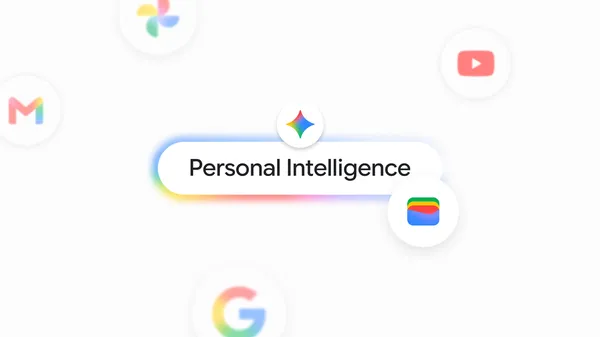
Gemini 中的 Personal Intelligence 会安全地连接你已在使用的应用中的信息——例如 Gmail、Photos、YouTube 和 Search——让你的体验更个性化、更有帮助。今天,我们将 Google Wallet 加入已连接应用的名单,让你在个人财务方面获得更具针对性的回复。
用 Google Wallet 了解并规划你的财务
从今天起,美国所有 Gemini app 用户都可以连接 Google Wallet,让回复基于你的消费习惯。你还可以选择通过 Plaid 将信用卡和银行的金融账户安全关联到 Wallet,解锁更深入的洞察。
打开 Gemini,@Google Wallet 即可咨询个人财务、预算等问题。以下是一些可以尝试的用法:
可视化支出:像“我们能回顾一下我上个季度的支出吗,这样我就能在未来三个月省下 1,000 美元?”这样的问题,能让 Gemini 直接在对话中生成动态图表,追踪现金流、资产配置和预算。
找出被遗忘的订阅:如果你问“我还在为哪些订阅付费,其中有没有在今年涨价的?”,Gemini 会在你已关联的账户中找出周期性扣款,并标出价格上涨的项目。
规划节日预算:当你问“我去年在礼物和旅行上花了多少钱?用这个帮我制定今年的节日预算”,Gemini 会查看你过去一年的交易记录,并给出为你量身定制的预算建议。
Gemini 中的 Google Wallet 正在 web 端和移动端陆续推送,面向 Android 和 iOS 上的 Gemini app 用户。
我们在构建这些工具时,将安全与隐私放在核心位置。如果你选择连接 Wallet(在 Personal Intelligence 设置的 Connected Apps 下),Gemini 只能读取你账户中的信息;它无法移动、管理或投资你的资金。是否以及何时启用这一体验由你决定,你随时可以开启或关闭该连接。点击此处了解更多。
对于 Personal Intelligence,我们还让你能更轻松地查看和编辑 Gemini 记住的内容。Memory Summary 将你保存的偏好、兴趣和持续目标以清晰易读的快照集中在一处,让你始终了解 Gemini 如何为你定制回复。你可以随时查看和编辑。打开 个人资料 > Personal Intelligence > Memory Summary,即可随时查看、完善或删除任何细节。在 Personal Intelligence 可用的地方,所有 Gemini 应用用户均可在网页端和移动端使用 Memory Summary。
译文由英文原文机器翻译,术语按行业惯例统一,可在文末展开原文核对。
查看英文原文(Connect Google Wallet to Gemini for personal finance insights)
See all in Products & platforms
See all in Innovation & AI
See all in Products & platforms
Connect Google Wallet to Gemini for personal finance insights
Connect Google Wallet to Gemini for personal finance insights
All Gemini app users in the U.S. can connect Google Wallet to get responses informed by their spending habits.
Your browser does not support the audio element.
Personal Intelligence in Gemini securely connects information from apps you already use — like Gmail, Photos, YouTube, and Search — to make your experience more personalized and helpful. Today, we’re adding Google Wallet to the list of connected apps so you can get more tailored responses around personal finance.
Understand and plan your finances with Google Wallet
Rolling out today for all Gemini app users in the U.S., you can connect Google Wallet for responses informed by your spending habits. You also have the option to securely link your financial accounts from your credit cards and banks to Wallet via Plaid to unlock deeper insights.
Jump into Gemini and tag @Google Wallet to ask questions around personal finance, budgeting and more. Here are some things to try:
Visualize spending: Questions like “can we review my spending from last quarter so I can save $1,000 over the next three months?” enable Gemini to generate dynamic charts tracking cash flow, asset allocation, and budgets directly in your chat.
Find forgotten subscriptions: If you ask "what subscriptions am I still paying for, and did any of them go up in price this year?" Gemini finds recurring charges across your linked accounts and flags price increases.
Budget for the holidays: When you ask "how much did I spend on gifts and travel last year? Use that to help me set a holiday budget for this year," Gemini will look at your transactions from the last year and suggest a budget tailored to you.
Google Wallet in Gemini is rolling out across web and mobile, for Gemini app users on both Android and iOS.
We’ve built these tools with security and privacy at the center. If you choose to connect your Wallet (under Connected Apps in Personal Intelligence settings), Gemini can only read information from your accounts; it can’t move, manage, or invest your money. You decide if and when you want to opt in to this experience, and you can turn the connection on or off at any time. Learn more here.
For Personal Intelligence, we’re also making it easier for you to see and edit what Gemini remembers. Memory Summary gives you a clear, readable snapshot of your saved preferences, interests, and ongoing goals in one place so you always know how Gemini tailors responses for you. You can review and edit anytime. Open Profile > Personal Intelligence > Memory Summary to view, refine, or remove any details whenever you want. Memory Summary is available on web and mobile for all Gemini app users where Personal Intelligence is available.
原文为英文,正文由自动抓取并保留原文。
原文发布于 Google Blog(Connect Google Wallet to Gemini for personal finance insights),标题、摘要与正文由机器翻译,术语按行业惯例统一,未经人工逐句校订。


