datasette-llm 0.1a11 发布
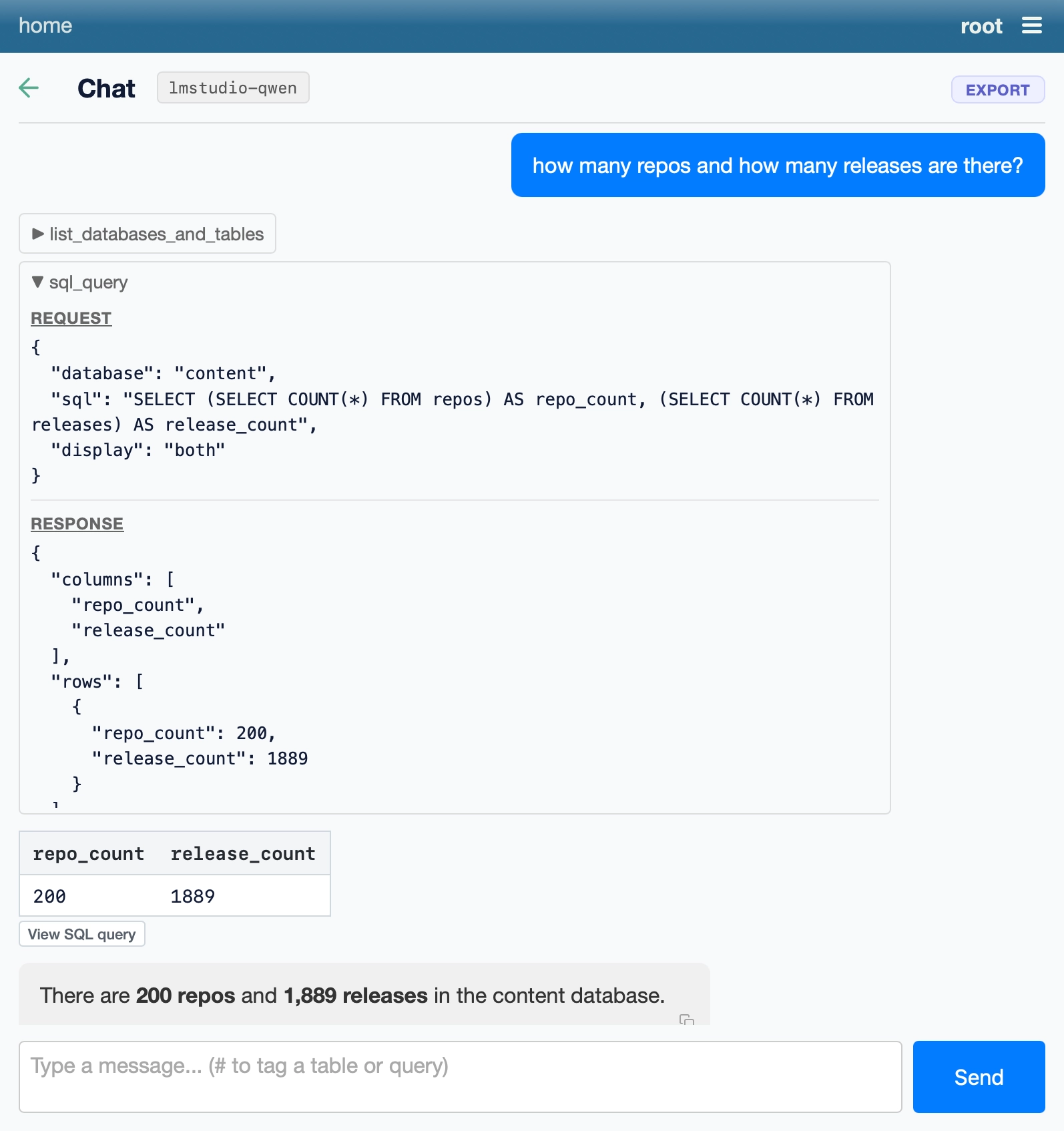
本次发布新增了对 OpenAI 兼容端点的支持,因此你可以配置 Datasette,使用任何以 OpenAI 这套伪标准 Web 协议提供服务的 LLM。
这意味着,如果你用 LM Studio、Ollama 或 llama.cpp(刚刚发布 v1.0.0)运行本地模型,就可以像这样通过 uvx 运行 Datasette:
wget https://datasette.io/content.db uvx --with datasette-agent datasette \ --root --secret 1 \ -s plugins.datasette-llm.default_model '{ "model": "lmstudio-qwen", "model_name": "qwen/qwen3.8-27b", "api_base": "http://localhost:1234/v1" }' content.db
这样你就能得到一个本地服务器,运行着由你的本地模型驱动的 Datasette Agent 实例!
发布于 2026 年 11 月 14 日晚上 11:59
这是 Simon Willison 的一篇 beat,发布于 2026 年 11 月 14 日。
每月赞助我 10 美元,即可获得一份精选邮件摘要,汇总当月最重要的 LLM 进展。
付钱给我,让我少给你发点东西!
译文由英文原文机器翻译,术语按行业惯例统一,可在文末展开原文核对。
查看英文原文(datasette-llm 0.1a11)
This release adds support for OpenAI-compatible endpoints, so you can configure Datasette to use an LLM hosted anywhere that talks the OpenAI pseudo-standard web protocol.
This means that if you're running local models with LM Studio or Ollama or llama.cpp (which just hit v1.0.0) you can run Datasette via uvx like this:
wget https://datasette.io/content.db uvx --with datasette-agent datasette \ --root --secret 1 \ -s plugins.datasette-llm.default_model '{ "model": "lmstudio-qwen", "model_name": "qwen/qwen3.8-27b", "api_base": "http://localhost:1234/v1" }' content.db
And you'll get a local server running a Datasette Agent instance powered by your local model!
Posted 14th November 2026 at 11:59 pm
This is a beat by Simon Willison, posted on 14th November 2026.
Sponsor me for $10/month and get a curated email digest of the month's most important LLM developments.
Pay me to send you less!
原文为英文,正文由自动抓取并保留原文。
原文发布于 Simon Willison(datasette-llm 0.1a11),标题、摘要与正文由机器翻译,术语按行业惯例统一,未经人工逐句校订。
