Ollama 与 Fly.io 安全运行 AI 智能体
Ollama Cloud 现在可以在使用 Fly.io Sprite 的、专为智能体设计的完整 Linux 计算机中运行。
Sprite 是 Fly.io 提供的一种沙箱。每个 Sprite 都是一台完整的 Linux 虚拟机,带有自己的磁盘,会在会话之间保留。开箱即支持 Claude Code、Codex 和 Gemini CLI,可让智能体在沙箱中运行,安全地执行命令。
通过新的 Ollama Connector,你的 Sprite 可以使用 Ollama 的云端模型,如 kimi-k3、glm-5.3 和 deepseek-v4.1-flash。
你把 Ollama API key 添加到你的 Fly.io 组织,Fly.io 会对其加密,并且绝不会通过 API 返回它。
当 Sprite 内部的代码调用 Ollama 时,请求会经过 Fly.io 网关。网关会检查是哪个 Sprite 在调用,并把你的 key 添加到请求中。Sprite 本身只知道一个网关 URL 和一个连接 ID。
Sprite 中的智能体无法泄露你的 key。
新连接器默认屏蔽所有 Sprite。你可以选择哪些获得访问权限:按标签、按名称前缀或全部。
调用只能从 Sprite 内部发起。
你需要一个 Ollama API key,以及至少一个 Sprite。
在 Fly.io 仪表盘中打开 Sprites,再打开 Connectors,然后用你的 API key 添加一个 Ollama 连接器。
在 Access Configuration 下,选择哪些 Sprite 可以使用它,然后保存。
点击某个 Sprite 旁边的 Test reachability,检查它能否访问到 Ollama。
然后,在 Sprite 内部执行:
curl "https://api.sprites.dev/v1/gateway/ollama//v1/chat/completions" \
 -H "Content-Type: application/json" \
 -d '{"model": "kimi-k3", "messages": [{"role": "user", "content": "Hello!"}]}'
连接器页面会显示这条命令,并已填入你的 connection ID。这里没有 Authorization 请求头,因为网关会替你加上你的 API key。
任何 OpenAI SDK 都可以使用。把 base_url 设置为该网关,api_key 填任意值即可:
from openai import OpenAI

client = OpenAI(
 base_url="https://api.sprites.dev/v1/gateway/ollama//v1",
 api_key="unused",
)

response = client.chat.completions.create(
 model="glm-5.3",
 messages=[{"role": "user", "content": "Why is the sky blue?"}],
)
print(response.choices[0].message.content)
Ollama 原生的 /api/* 路由同样可以经由该网关使用。
Fly.io Sprites 自带一项技能(skill),可让 Claude Code、Cursor、Codex 和 Gemini CLI 了解 Ollama。如果该 Sprite 具备访问权限,智能体无需任何配置即可使用 Ollama 模型。
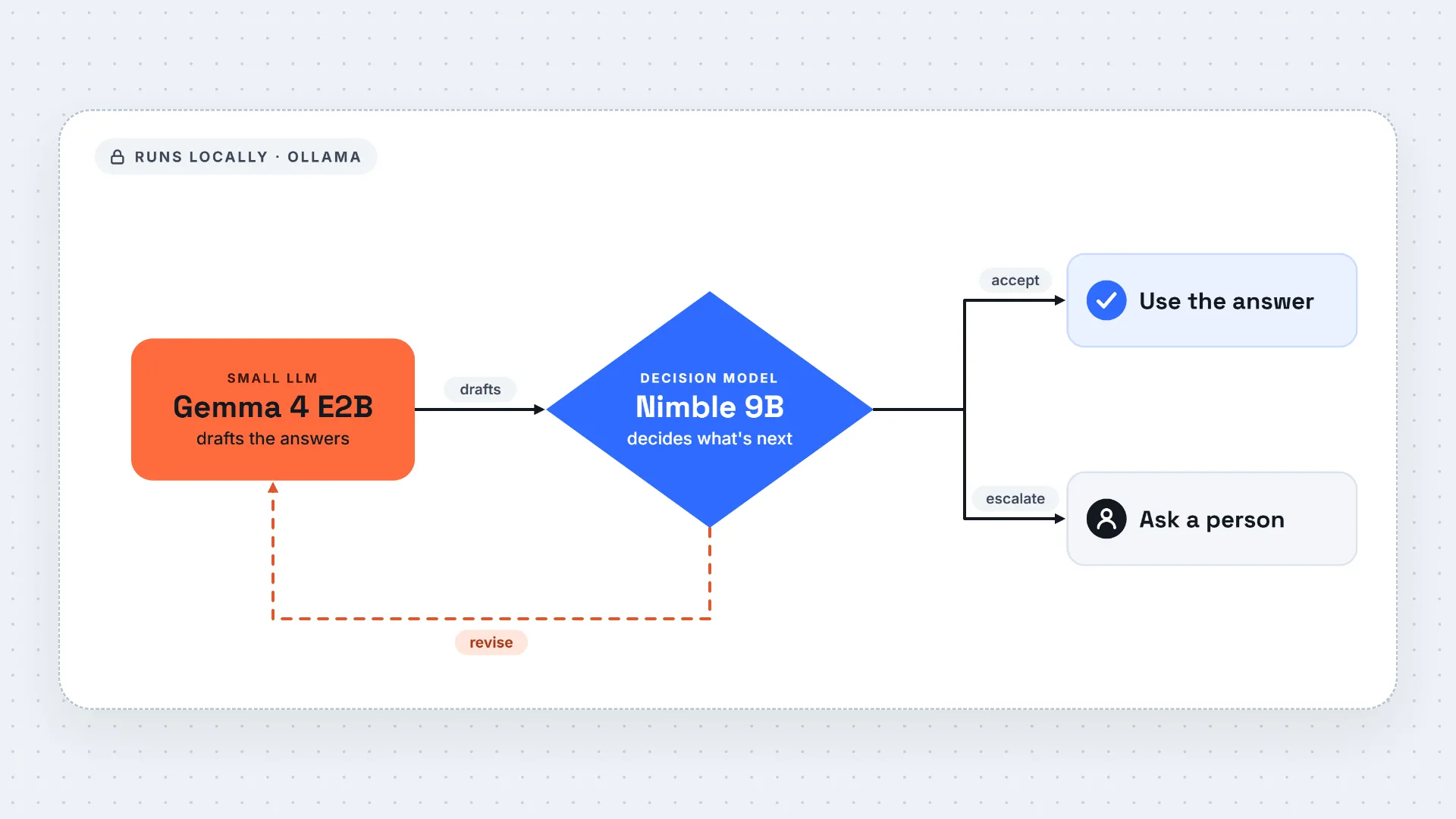
Fly.io 有一份指南,介绍如何协同使用多个模型。像 nemotron-3-nano:30b 这样的小模型负责生成畸形输入,由 Sprite 将其送入你的程序运行,再由像 kimi-k3 这样更大的模型来分析崩溃情况。要切换模型,只需更改 model 字段。参见 Ollama Connector 快速入门。
感谢 Fly.io 团队与我们共同打造这一功能。
译文由英文原文机器翻译,术语按行业惯例统一,可在文末展开原文核对。
查看英文原文(Run AI agents safely with Ollama and Fly.io)
Ollama Cloud now works inside full Linux computers designed for agents using Fly.io Sprites.
A Sprite is a sandbox from Fly.io. Each one is a full Linux virtual machine with its own disk that stays around between sessions. Claude Code, Codex and Gemini CLI are supported out of the box and will let agents run in a sandbox to securely run commands.
With the new Ollama Connector, your Sprites can use Ollama’s cloud models like kimi-k3, glm-5.3 and deepseek-v4.1-flash.
You add your Ollama API key to your Fly.io organization, and Fly.io encrypts it and never returns it through the API.
When code inside a Sprite calls Ollama, it goes through a Fly.io gateway. The gateway checks which Sprite is calling and adds your key to the request. The Sprite itself only knows a gateway URL and a connection ID.
An agent in a Sprite can’t leak your key.
New connectors block every Sprite by default. You choose which ones get access: by label, by name prefix or all of them.
Calls only work from inside a Sprite.
You’ll need an Ollama API key and at least one Sprite.
In the Fly.io dashboard, open Sprites, then Connectors, and add an Ollama connector with your API key.
Under Access Configuration, choose which Sprites can use it and save.
Click Test reachability next to a Sprite to check that it can reach Ollama.
Then, from inside the Sprite:
curl "https://api.sprites.dev/v1/gateway/ollama//v1/chat/completions" \
-H "Content-Type: application/json" \
-d '{"model": "kimi-k3", "messages": [{"role": "user", "content": "Hello!"}]}'
The connector page shows this command with your connection ID filled in. There’s no Authorization header because the gateway adds your key.
Any OpenAI SDK works. Set base_url to the gateway and use any value for api_key:
from openai import OpenAI
client = OpenAI(
base_url="https://api.sprites.dev/v1/gateway/ollama//v1",
api_key="unused",
)
response = client.chat.completions.create(
model="glm-5.3",
messages=[{"role": "user", "content": "Why is the sky blue?"}],
)
print(response.choices[0].message.content)
Ollama’s native /api/* routes work through the gateway too.
Fly.io Sprites come with a skill that tells Claude Code, Cursor, Codex and Gemini CLI about Ollama. If the Sprite has access, the agent can use Ollama models without any setup.
Fly.io has a guide that uses several models together. A small model like nemotron-3-nano:30b writes malformed inputs, a Sprite runs them against your program, and a larger model like kimi-k3 looks at the crashes. To switch models, change the model field. See the Ollama Connector quickstart.
Thank you to the Fly.io team for building this with us.
原文为英文,正文由自动抓取并保留原文。
原文发布于 Ollama Blog(Run AI agents safely with Ollama and Fly.io),标题、摘要与正文由机器翻译,术语按行业惯例统一,未经人工逐句校订。